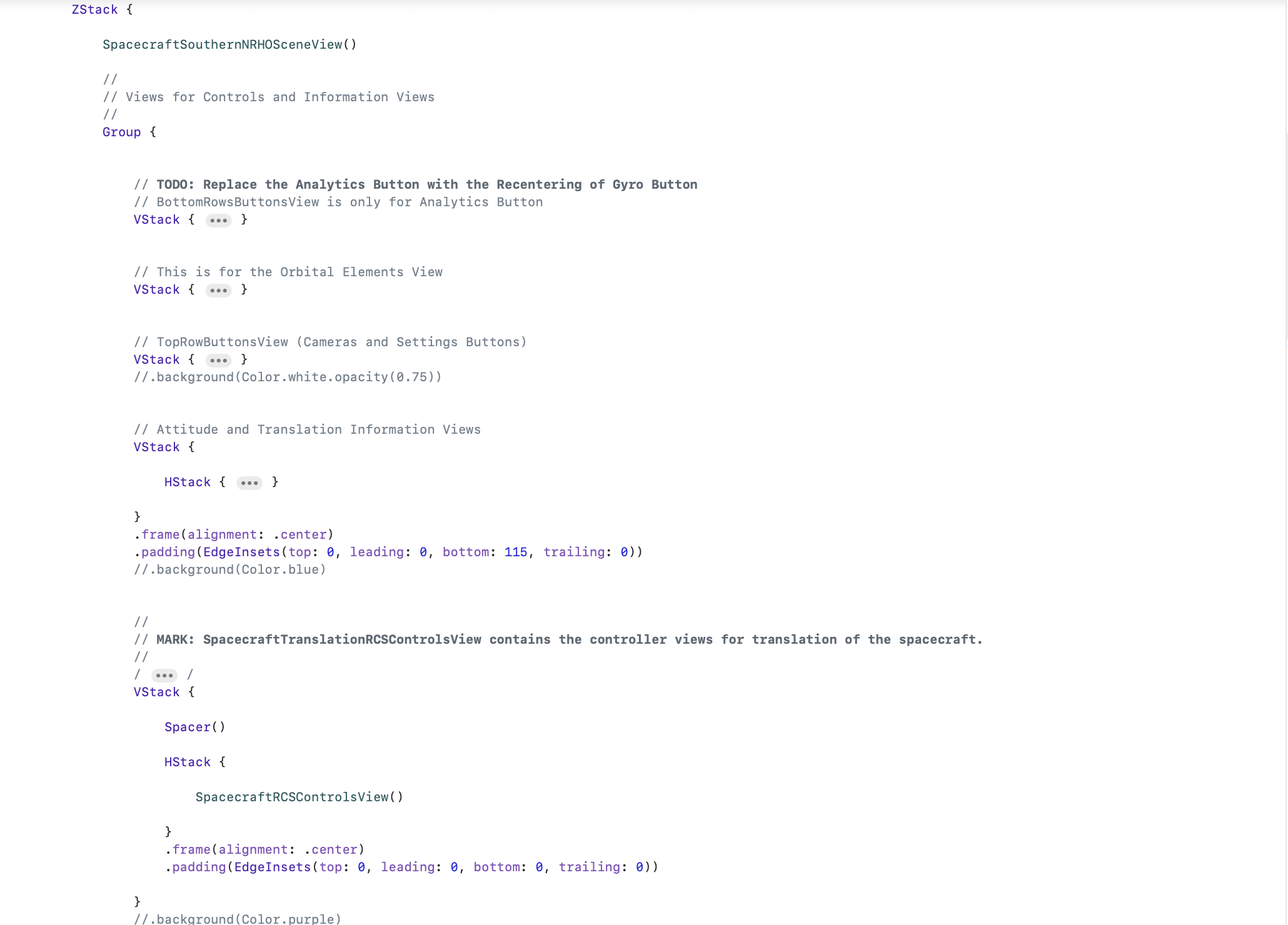

ZStack Order Matters

Interesting story as I am near finishing an upcoming re-release of MissionOrion, my Orion spacecraft simulator.

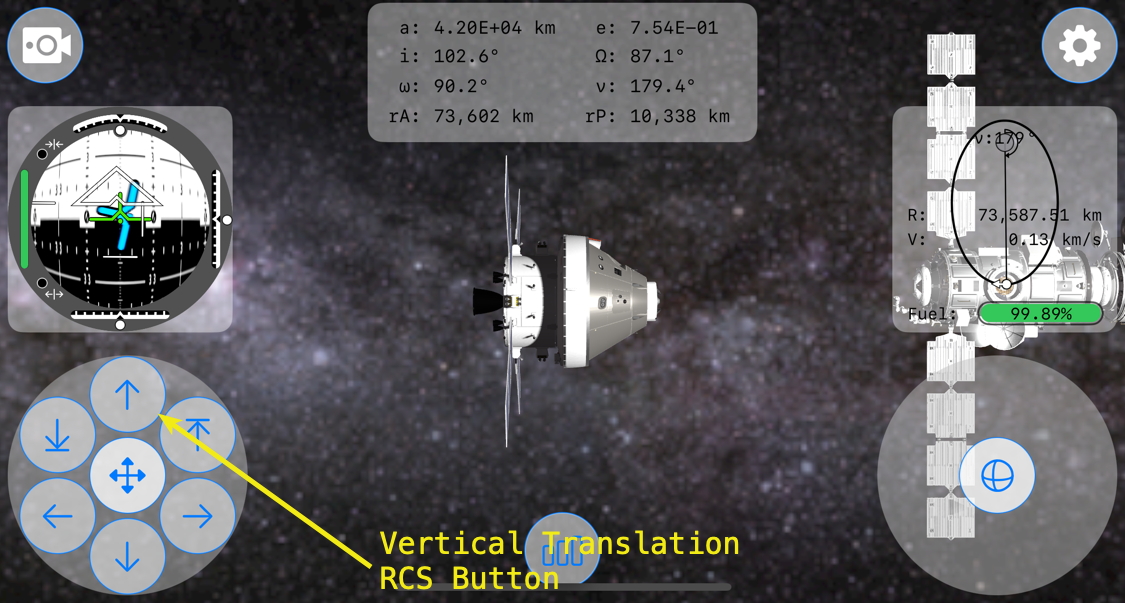
First, a little background. This is MissionOrion’s interface running on an iPhone 16 Pro.

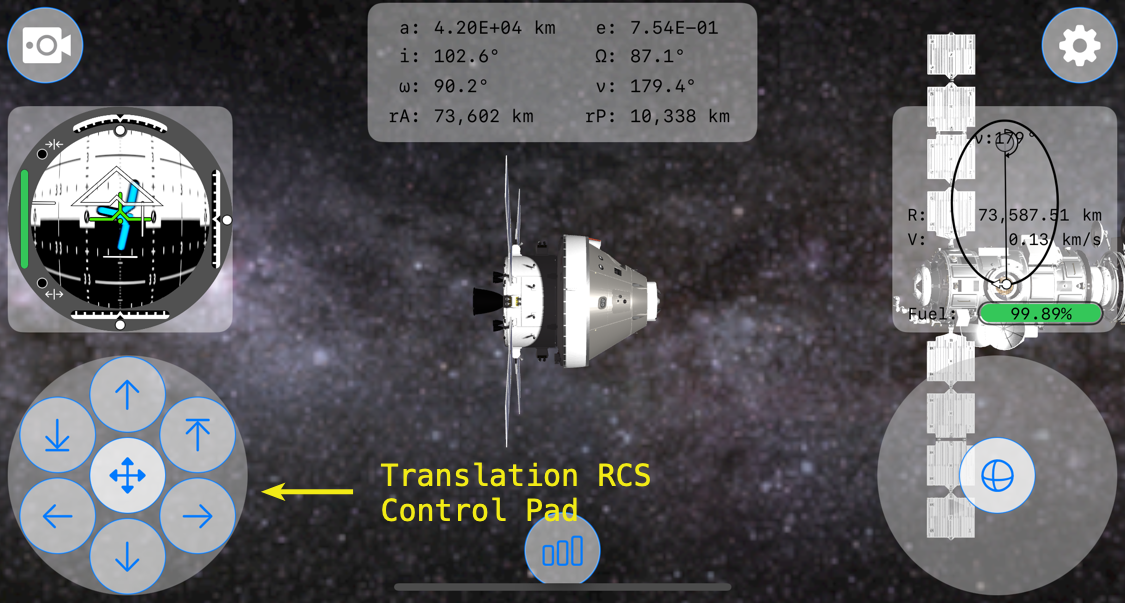
On the lower left-hand corner is the Translation RCS control pad, which is created within SpacecraftTranslationRCSButtonsView.swift.
Just above it is the FDAI, or Flight Director Attitude Indicator. It is created within AttitudeView.swift.
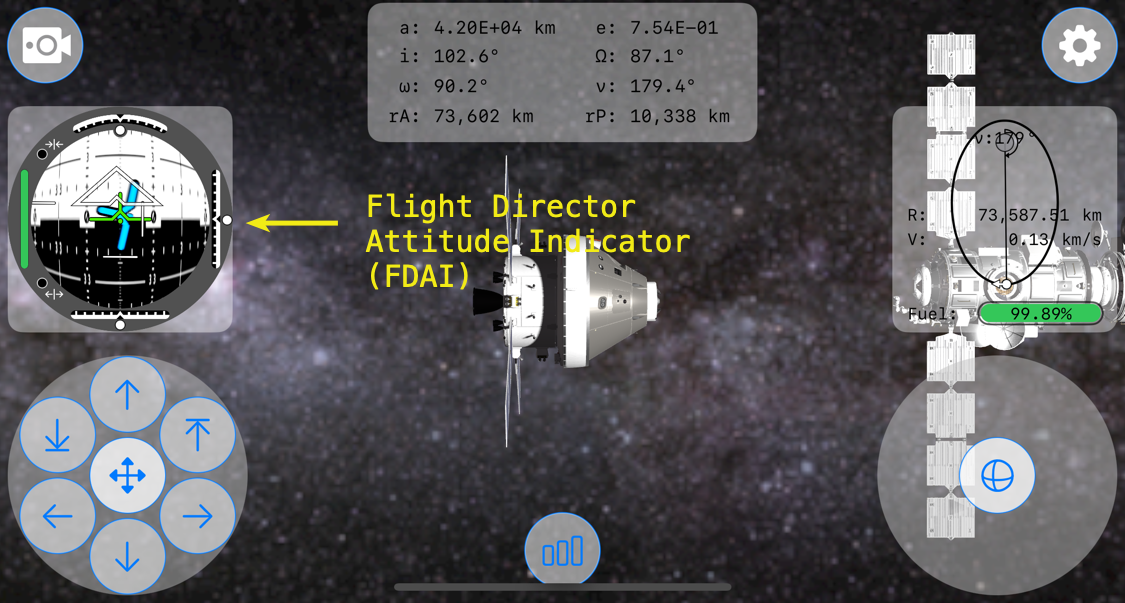
Within the FDAI are indicator views to show vertical, lateral, and longitudinal velocity of Orion relative to its target spacecraft, in this case the Gateway Lunar Space Station. These indicators are moved using .offset depending upon their individual relative velocity amounts.
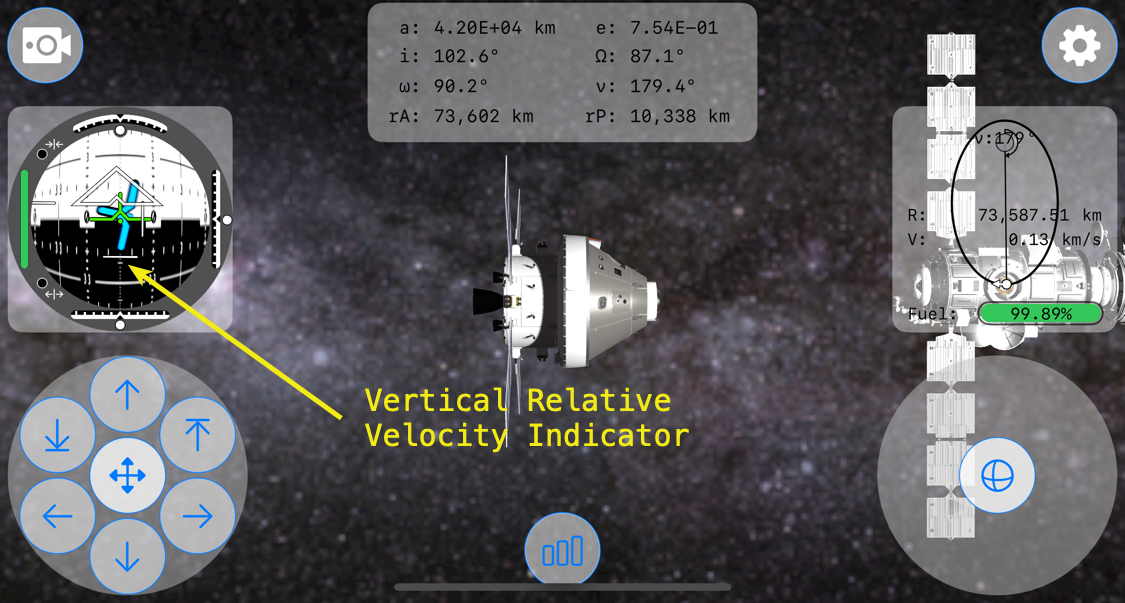
Within the Translation RCS Control Pad is a button at the top, the verticalPositiveTranslationButton, to increase the spacecraft’s positive (-y direction) vertical velocity so that the spacecraft translates, or moves, up.

The bug that I was experiencing occurred when the Vertical Relative Velocity Indicator view was at its most negative position. When translating in the negative y-direction, the relative vertical velocity indicator moves down in relation to the -y velocity. It turns-out that the image, fdaiVerticalRelativeVelocityIndicator, in Assets used for the Vertical Relative Velocity Indicator was covering the top translation RCS button, preventing inputs from it.

So, at a certain negative relative velocity, the positive vertical translation RCS button in SpacecraftTranslationRCSButtonsView.swift wouldn’t register taps. What?!?!?

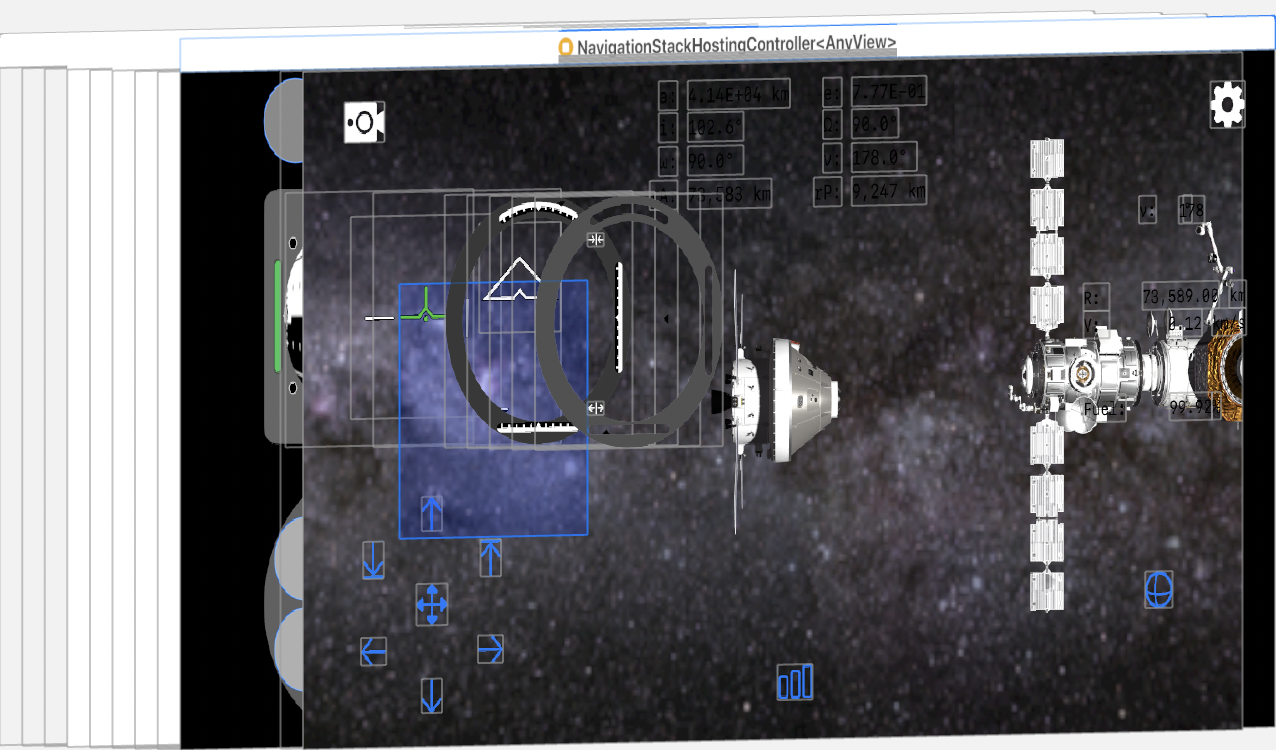
To get a better idea of what was happening in the view hierarchy, here’s a screenshot of the bug. The blue field is the vertical relative velocity indicator in a full negative position.

A 45° view of the same view hierarchy.
A side view of the view hierarchy.
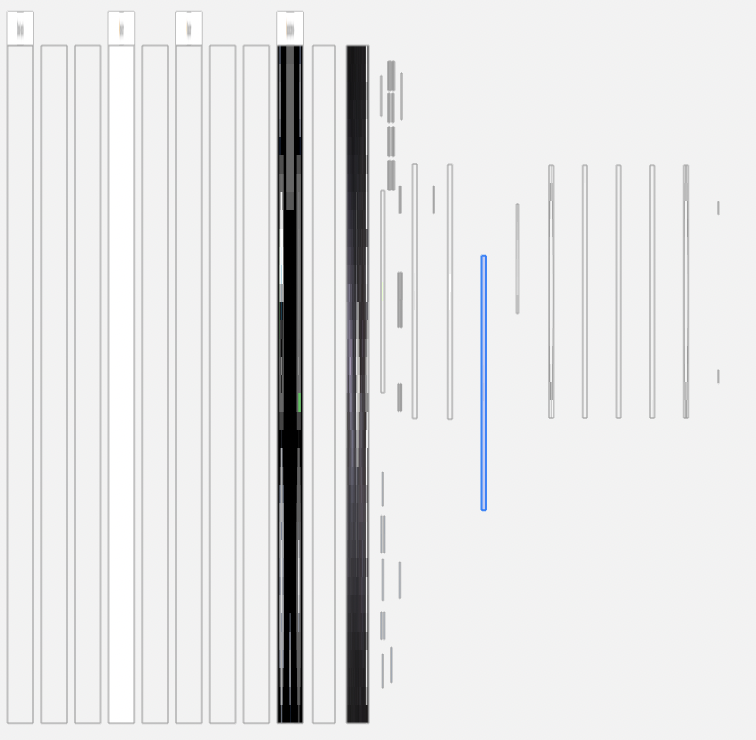
From a side view of the view hierarchy, it’s apparent that the vertical relative velocity view highlighted in blue is above the TranslationRCSButtonsView and all of its translation buttons.

It took me about 30 minutes to figure out going on and 1 minute to fix. The fix was simple enough, just move the code within ContentView calling the TranslationRCSButtonsView and its verticalPositiveTranslationButton to the bottom of the ZStack.

Last is top in the ZStack!

Looking at the view hierarchy after the fix, it’s easy to see what this one change did to allow the verticalPositiveTranslationButton to again accept inputs.
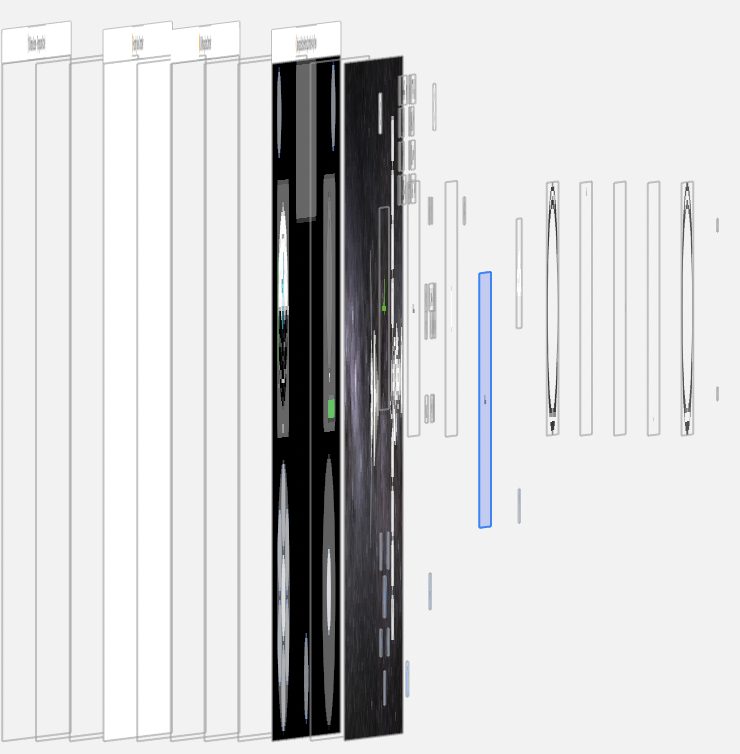
The verticalPositiveTranslationButton is now sitting above the highlighted view that is vertical relative velocity indicator view.

It’s just another reminder that in ZStack, the view order matters. One view obscuring another, even if the top view is transparent, will prevent gesture inputs. And bugs resulting from a ZStack view order mistake, such as mine, can be hard to debug.

But very fun to discover.
Don’t Use Actors For State Data

I wish I had read Paul Hudson’s post, “Important: Do not use an actor for your SwiftUI data models” from last November. It would have saved me hurt from a day wasted trying to get a small data model conforming to @GlobalActor to work with a SwiftUI view.

So, the key point is, do not use an actor for your SwiftUI data models. At least as of now, March 29, 2025. This applies to reading @Published properties of reference types conforming to Observable(Object).

Why? Any code like AstrodynamicState that conforms to Observable(Object) must be @MainActor. Modifying any of AstrodynamicState’s @Published properties must be on the main thread. I am going to assume that reading AstrodynamicState’s published properties will also cause problems. For example,

@globalActor

actor AstrodynamicStateActor: ObservableObject {

    static var shared = AstrodynamicStateActor()

}

@AstrodynamicStateActor
class AstrodynamicState: ObservableObject {

    static let shared = AstrodynamicState()

    @Published var semiMajorAxis: Double = 0.0

    ...

    // Calculate semiMajorAxist in an asyn function...

    ...

}

Then reading this in a SwiftUI View as say, a Text,

struct COEView: View { 

    var body: some View {

       Text(“\(Task { await AstrodynamicState.shaed.semiMajorAxis } as? Double ?? 0.0, specifier: "%.2E") km”)

    }

}

Will not result in the value of AstrodynamicState’s published property semiMajorAxis being displayed, but will instead see “0.00” displayed. Nothing like orbiting the core of the central body.

So, actors are a really bad choice for any data models used with SwiftUI.

Peak Apple Watch?

As an Apple fanboy, I’m worried.

The growth rate, the second derivative, of Apple Watch sales has been negative for a few years. In 2022 there was a real slow-down and but for the Ultra there would likely have been an actual yoy drop in Apple Watch sales. Then in 2023 there was a significant drop from we in Apple Watch sales.

Curiously, the slowing of Apple Watch sales isn’t something I’ve heard analysts talk about. That could be because I’m an idiot masking as a sentient being. Or…

Maybe the customer base happy for an Apple Watch with 18 hours has been saturated?

The S10 SiP on the new X is nice. But aside from a few of us geeks who mind might register that change, I’m doubtful that the vast majority of people are going to go ga-ga over that and cosmetic changes when the offering is essentially the same watch, an 18 hour watch that you still have to recharge every day.

Ok, yes, there’s an Apple Watch that gets 36 hours of use, the Ultra. When in 2022 Apple introduced the Ultra with the S8 SiP, it also released the Apple Watch Series 8 that also had the S8.

Last year, both the Apple Watch Series 9 and the Ulta 2 were upgraded to the S9 SiP.

So Apple at least for two years had a dual upgrade cycle for both Apple Watch and the Ultra.

That ended this year. Apple didn’t update the Ultra 2 in any meaningful way—not even a chip update—just a color change. There may be technical reasons; maybe the S10 would have negatively impacted battery life on the Ultra 2? Instead, the marketing yesterday focused on Ultra being an athlete’s watch. But I really doubt most Ultra buyers are athletes.

Instead, I’d bet good money that the vast majority of Ultra sales have been Apple Watch customers looking for more battery life. I’m one of them. And this year Apple gave those customers…a color change?

Anyyway, this got me to wonder if Apple is going to a tick-tock strategy on Apple Watches to smooth out demand? Or to minimize costs?

And why would Apple management feel the need to do that?

Why I Love Swift: Functional Programming

Apple’s Swift language, which is not even a year old, has grown on me in ways I would never have expected. Partly, that’s because it has opened my eyes to ways of programming I was unaware of.

One of the programming paradigms that Swift forced me to at least look at was functional programming. What’s functional programming? Well, here’s a post by Guanshan Liu, Functional Programming in Swift, that does a much better job than I could ever do. And there’s a great book, Functional Programming in Swift. Simply put, functional programming allows functions to be used as parameters within a function call. Is that very useful or just another egg-head, ivory-tower CompSci methodology that no app developer really needs? Hardly.

Let’s say within a HomeKit app I’m creating that I have an array of accessories (home-automation devices) and their services. Now, that and a nickel won’t get me a cup of coffee nor do much for any user of my HomeKit app. So I want to use the list of the services’ serviceType, mind you in the same order as Apple’s service types supported by HomeKit’s Accessory profile, and the devices that have those service types. Hmmm… Continue reading

Austin vs Silicon Valley

Note: This post was originally written by Zac Sweers on Quara in response to the question, What is Austin like for startups and tech companies? How does it compare to Silicon Valley?“. Zac does the best job I’ve yet read of distilling the issues facing Austin and the growth of its tech business.

There are two big issues that startups in Austin face that I think stunt their collective growth. This is based on my time there (5 years of college), interning a short time at a local start up, having a few friends found local startups, and just general observations of the startup community. I now live in Palo Alto, CA working at a startup called Flipboard. Continue reading

HomeKit Singleton Thoughts & Code

Apple’s HomeKit API is pretty cool. For one, HomeKit comes with its own data model and store, one that likely will be shared across a person’s devices via iCloud. That’s very cool.

But if you’ve started playing with HomeKit’s HMHomeManager, you might have noticed that there are cases where a singleton containing, or of, the HMHomeManager would be a good idea. That’s because changes that might occur to the Home Manager in one part of a HomeKit app may not be reflected in another part, or on another device. Such as…”Where’s the room and 10 devices I just added to my home?!?!” Oops! Customers hate that.

So you need a singleton. The next issue is a singleton of what? One route is to create a delegate to act as a singleton. This delegate could contain an array of HMHomeManager type instances, some to serve as “scratch pads” and others as set as the Home Manager. Another route is to create an instance of HMHomeManager in the AppDelegate since (hopefully) you only have one of those running around in an app. And then there’s just creating a custom class to represent HMHomeManager. It is this last option on which this post focuses.

Apple includes a nice little HomeKit sample app, HMCatalog. One of the nice things included in that sample code is a HMHomeManager singleton. Since it’s in Obj-C, I took the liberty of writing it in Swift. Here’s the code:


let HomeStoreDidChangeSharedHomeNotification: String    = "HomeStoreDidChangeSharedHomeNotification"
let HomeStoreDidUpdateHomeNotification: String          = "HomeStoreDidUpdateHomeNotification"


class HomeStore: NSObject, HMHomeManagerDelegate
{
    static let sharedInstance = HomeStore()
    
    var homeManager: HMHomeManager
    var homeQueue: dispatch_queue_t
 
    var home: HMHome{
        get
        {
            var oldHome: HMHome     = self.home
            var newHome: HMHome?
            
            if let aHome = self.homeMatchingName(oldHome.name)
            {
                newHome     = aHome
                self.home   = newHome!
            }
            
            if (oldHome === self.home) && (newHome != nil)
            {
                self.alertForHomeDidChange()
            }
            return self.home
        }
        set(newHome)
        {
            if newHome == self.home
            {
                return
            }
            
            dispatch_async(self.homeQueue, {
                self.home   = newHome
                self.alertForHomeDidChange()
            })
        }
    }


    class func sharedStore()-> HomeStore
    {
        return sharedInstance
    }
    
    
    override init()
    {
        self.homeManager            = HMHomeManager()
        self.homeQueue              = dispatch_queue_create("com.portablefrontier.PFHouseWorks.HomeQueue", DISPATCH_QUEUE_SERIAL)
    
        super.init()
    
        self.homeManager.delegate   = self
    }
    
    
    /*
    func home() -> HMHome
    {
        var oldHome: HMHome     = self.home
        var newHome: HMHome?
        
        if let aHome = self.homeMatchingName(name: oldHome.name)
        {
            newHome     = aHome
            self.home   = newHome!
        }
        
        if (oldHome === self.home) && (newHome != nil)
        {
            self.alertForHomeDidChange()
        }
        return self.home
    }
    */
    
    
    /*
    func setHome(newHome: HMHome)
    {
        if newHome == self.home
        {
            return
        }
        
        dispatch_async(self.homeQueue, {
            self.home   = newHome
            self.alertForHomeDidChange()
        })
    }
    */


    func homeMatchingName(name: String) -> HMHome?
    {
        for aHome in homeManager.homes
        {
            if name == home.name
            {
                return home
            }
        }
        return nil
    }


    //: NotificationCenter Functions
    func alertForHomeDidChange()
    {
        dispatch_async(dispatch_get_main_queue(), {
            NSNotificationCenter.defaultCenter().postNotificationName(HomeStoreDidChangeSharedHomeNotification, object: self)
        })
    }


    func homeManagerDidUpdateHomes(manager: HMHomeManager)
    {
        NSNotificationCenter.defaultCenter().postNotificationName(HomeStoreDidUpdateHomeNotification, object: self)
        
        if let aHome = self.homeMatchingName(home.name)
        {
            self.home    = aHome
        }
    }
}

Xcode Issues: How To Work-Around An Ineligible iOS Device

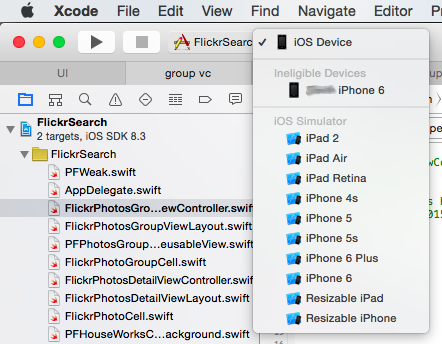
There may come a day, a sad day, when you install the latest version of Xcode, plug-in you iOS device, wait for it to appear in the list of scheme supported devices, and…nothing. Then you click on the scheme pull-down menu and see the following,

Xcode Ineligible Device Post 03 15 2015 Img 1

How did your iOS device become ineligible for development? Well, I don’t know and nobody else seems to have an answer. But there is a work-around Continue reading

Xcode 5 Notes

Some migrating their iOS projects over to Xcode 5 but not converting their project’s xib(s) or storyboard(s) might notice that the performance of Xcode drops when trying to edit those files. Looking in Activity Viewer, it isn’t Xcode that is taking-up all the cycles, but a tool, Interface Builder Cocoa Touch, that has now gone from using its normal smidgen percentage of CPU to over 60%! This will make editing a storyboard or xib very painful.

A search of “Interface Builder Cocoa Touch” will not result in links that address this is issue. After all, Xcode 5 has only been publicly available since today. So what to do?

The problem is the Interface Builder Document settings for the iPhone Storyboard or xib in which the performance is laggy.

Start by looking in the File Inspector of each storyboard in which the performance problem exists. It is likely that the storyboard Interface Builder Document setting was set for “Xcode 4.6”. That is, as it turns-out, bad. Changing the IB Default Document setting of the xib or storyboard to “Default Xcode 5” will fix the problem. Once you make that change, the Interface Builder Cocoa Touch tool will return to its sipping of only a few threads and using 0.0% of the CPU.

VC Funding–SiValley vs. Texas

After reading an article in the New York Times about how music acts as a possible attractant to start-up’s, I wanted to get some numbers to see if that were true. From a historical basis, it’s important to remember that in 1999 Texas was doing nearly 10% of the venture funding of Silicon Valley, of as I call it, SiValley (cute, huh?).

2012 VC Funding

Year SiValley Texas Austin
2012 $10,968 $934 $621
% of SiValley 100% 6.2% 5.7%
2012 VC Funding Stage SiValley Texas % of SiValley
Seed $316 $2 0.6%
Early-Stage $3,279 $180 5.5%
Expansion $4,570 $344 7.5%
Later Stage $2,802 $408 14.6%

Source: PricewaterhouseCooper MoneyTree Survey