
ZStack Order Matters

Interesting story as I am near finishing an upcoming re-release of MissionOrion, my Orion spacecraft simulator.

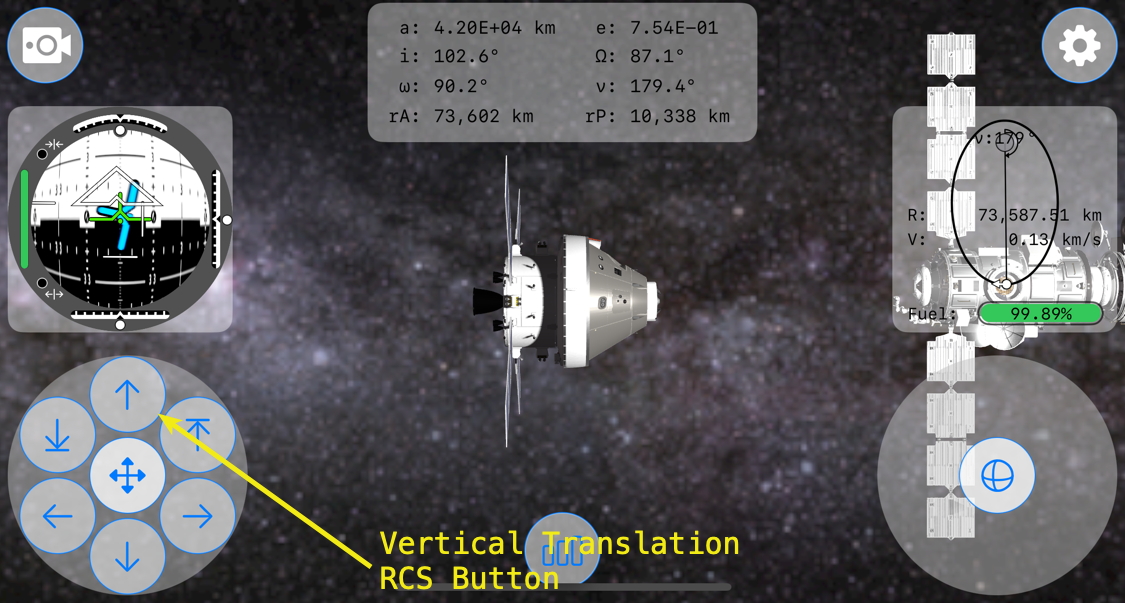
First, a little background. This is MissionOrion’s interface running on an iPhone 16 Pro.

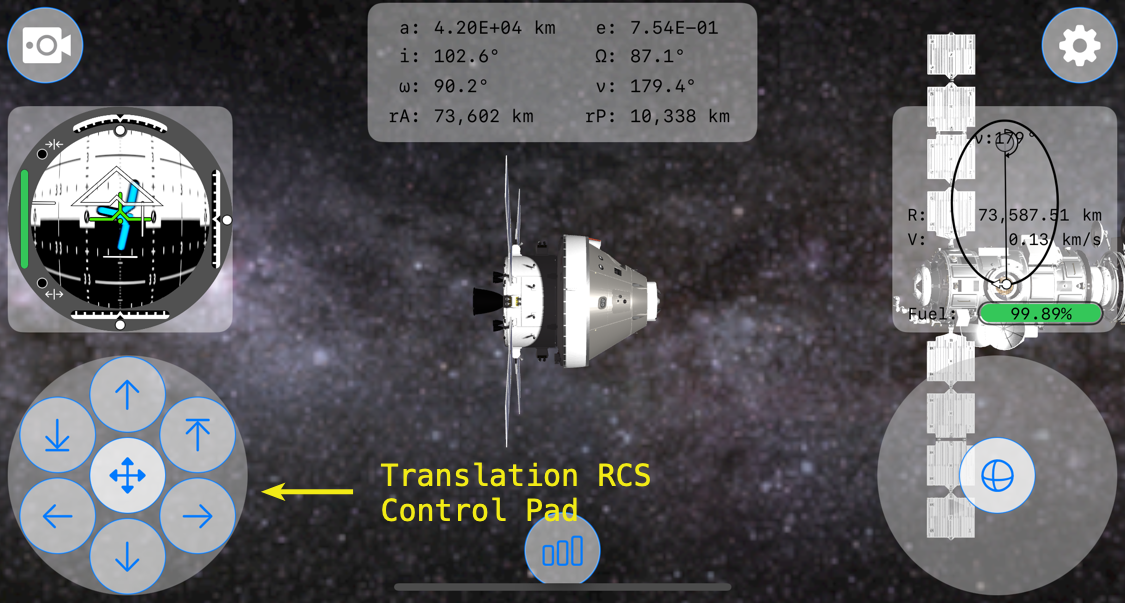
On the lower left-hand corner is the Translation RCS control pad, which is created within SpacecraftTranslationRCSButtonsView.swift.
Just above it is the FDAI, or Flight Director Attitude Indicator. It is created within AttitudeView.swift.
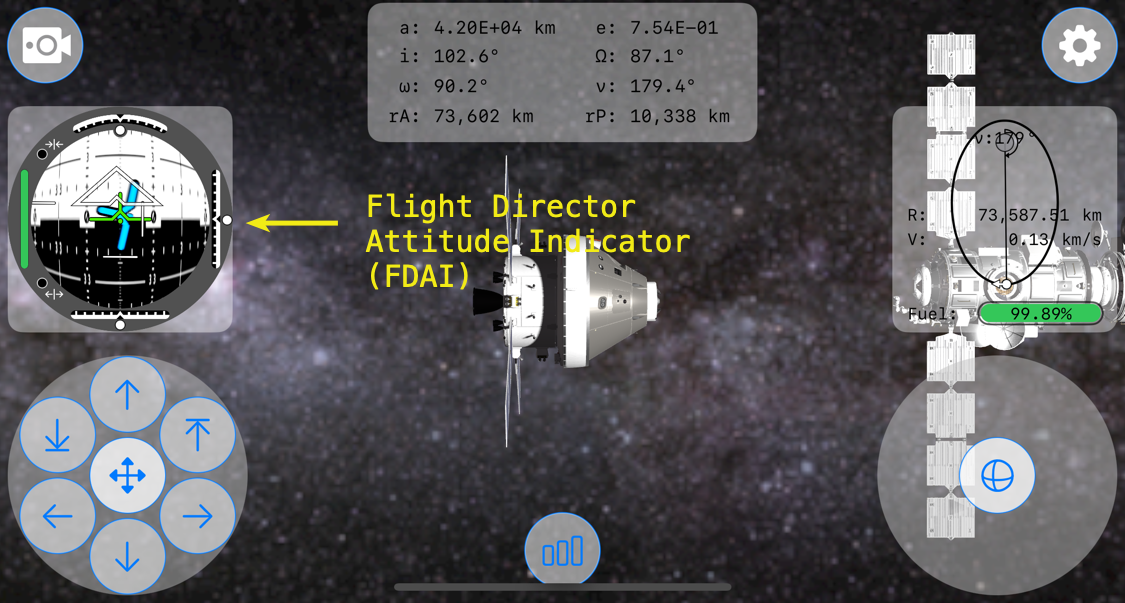
Within the FDAI are indicator views to show vertical, lateral, and longitudinal velocity of Orion relative to its target spacecraft, in this case the Gateway Lunar Space Station. These indicators are moved using .offset depending upon their individual relative velocity amounts.
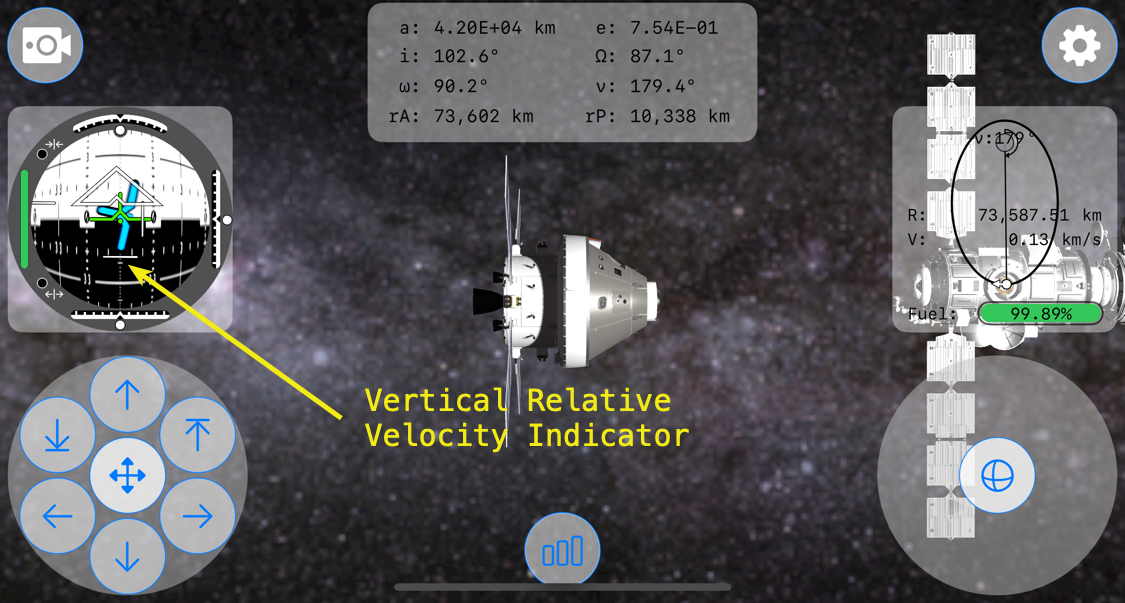
Within the Translation RCS Control Pad is a button at the top, the verticalPositiveTranslationButton, to increase the spacecraft’s positive (-y direction) vertical velocity so that the spacecraft translates, or moves, up.

The bug that I was experiencing occurred when the Vertical Relative Velocity Indicator view was at its most negative position. When translating in the negative y-direction, the relative vertical velocity indicator moves down in relation to the -y velocity. It turns-out that the image, fdaiVerticalRelativeVelocityIndicator, in Assets used for the Vertical Relative Velocity Indicator was covering the top translation RCS button, preventing inputs from it.

So, at a certain negative relative velocity, the positive vertical translation RCS button in SpacecraftTranslationRCSButtonsView.swift wouldn’t register taps. What?!?!?

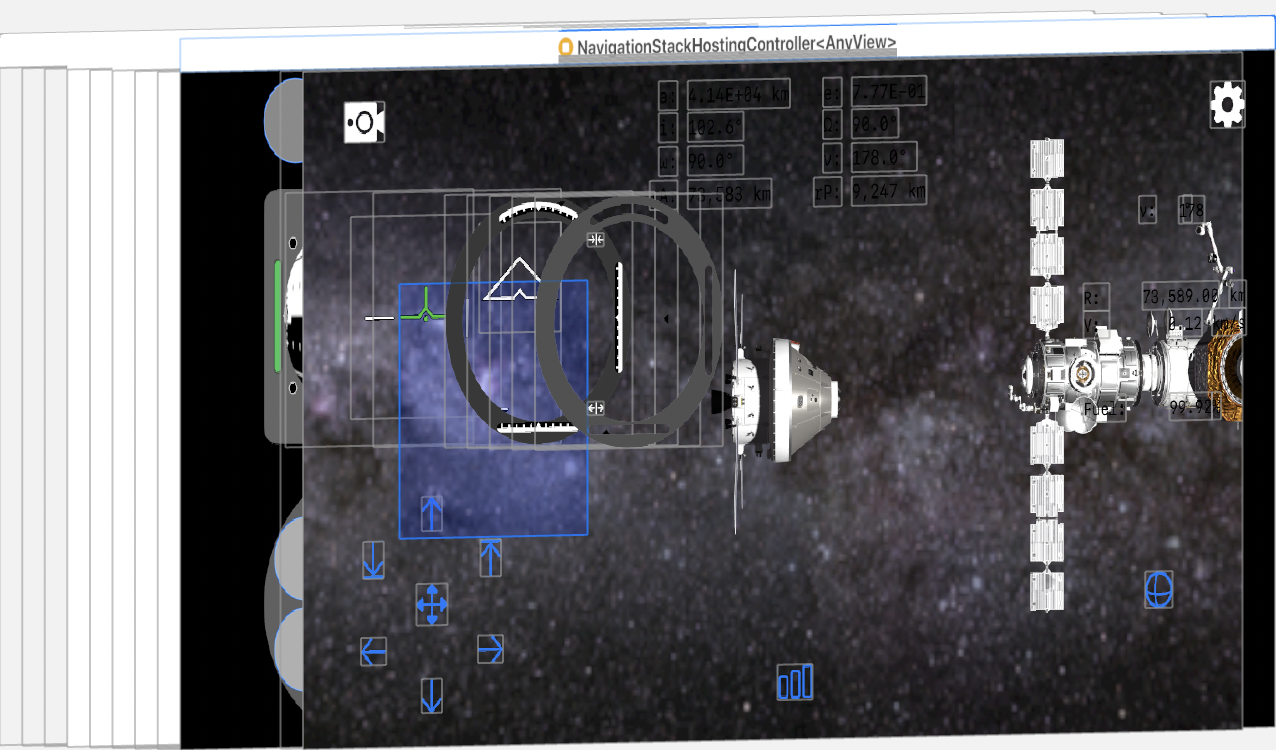
To get a better idea of what was happening in the view hierarchy, here’s a screenshot of the bug. The blue field is the vertical relative velocity indicator in a full negative position.

A 45° view of the same view hierarchy.
A side view of the view hierarchy.
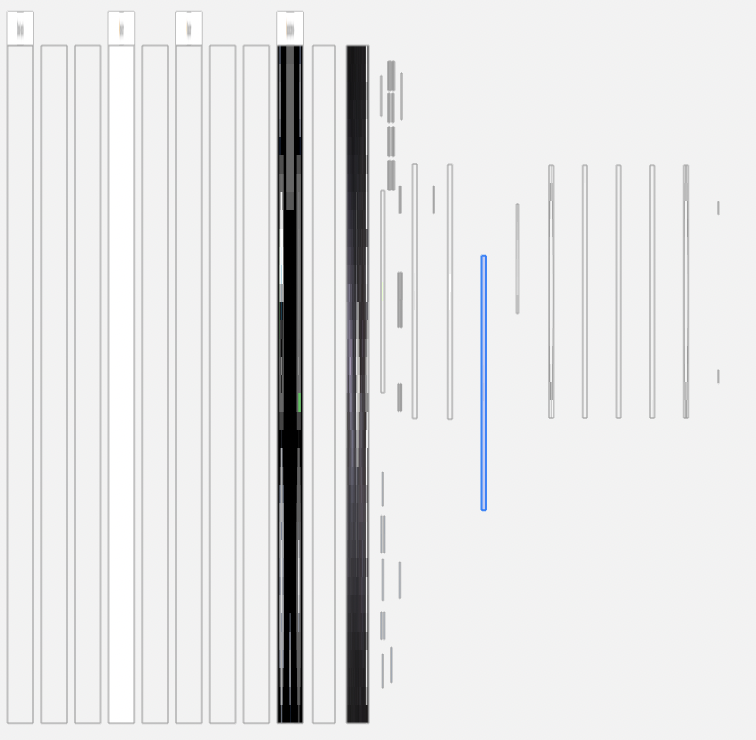
From a side view of the view hierarchy, it’s apparent that the vertical relative velocity view highlighted in blue is above the TranslationRCSButtonsView and all of its translation buttons.

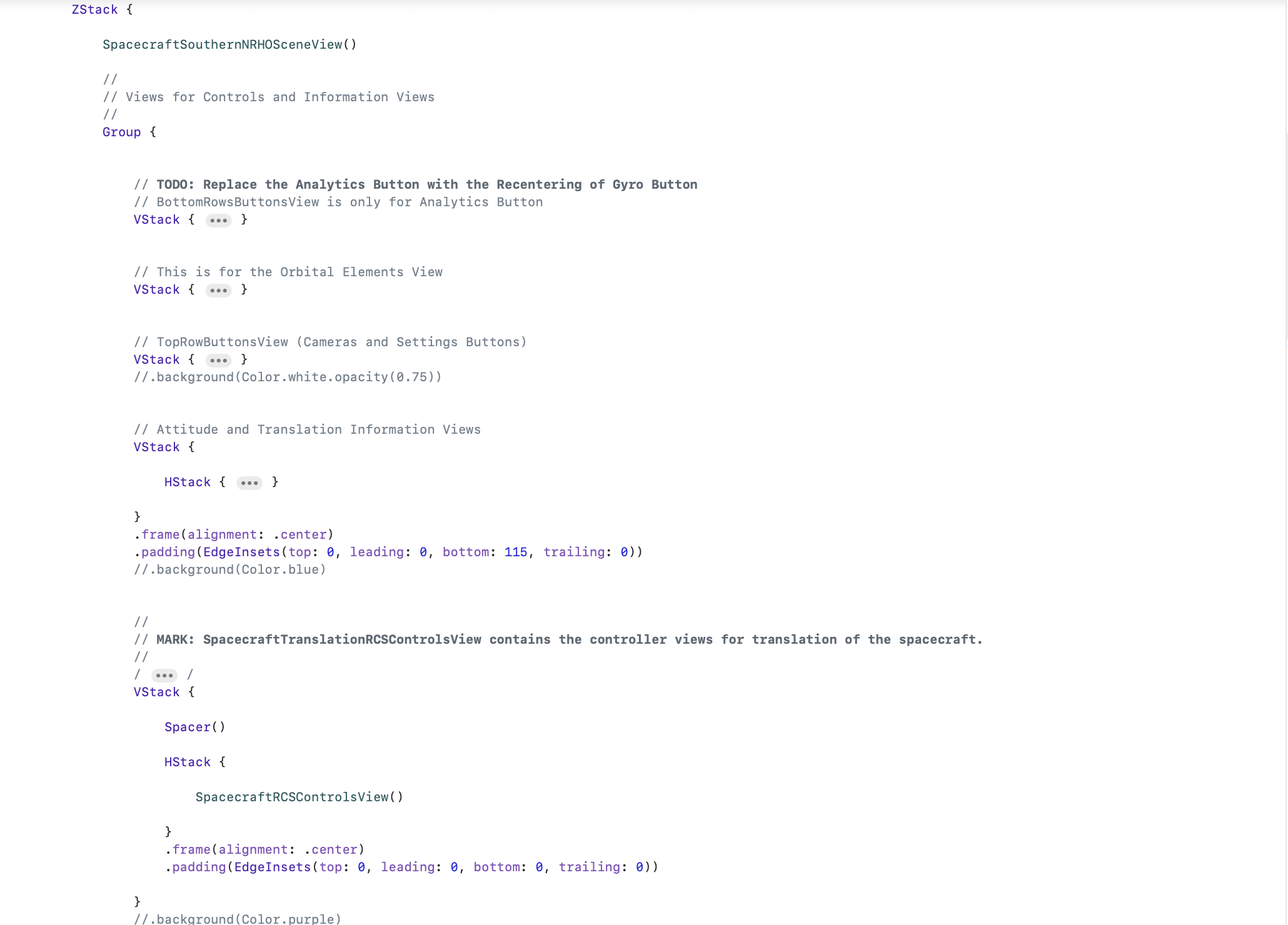
It took me about 30 minutes to figure out going on and 1 minute to fix. The fix was simple enough, just move the code within ContentView calling the TranslationRCSButtonsView and its verticalPositiveTranslationButton to the bottom of the ZStack.

Last is top in the ZStack!

Looking at the view hierarchy after the fix, it’s easy to see what this one change did to allow the verticalPositiveTranslationButton to again accept inputs.
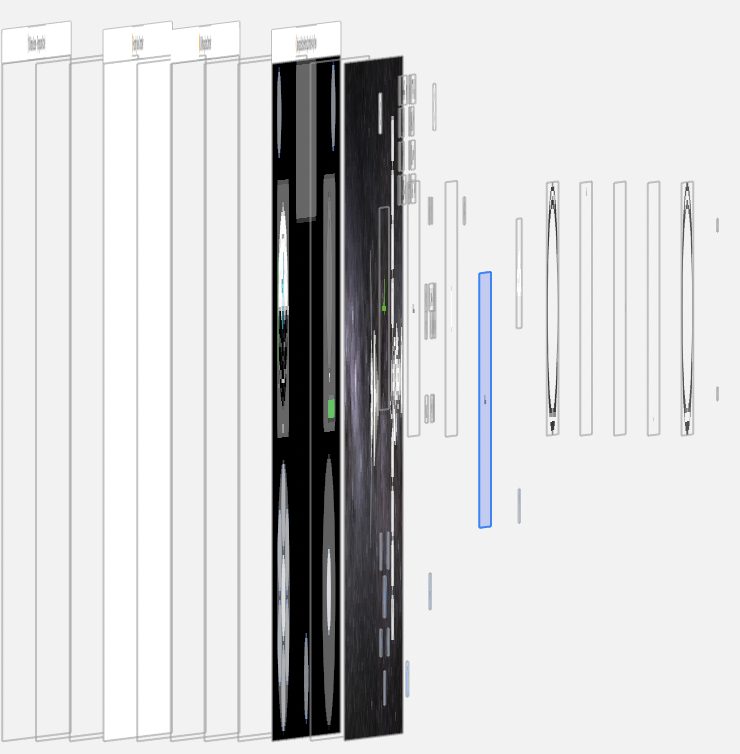
The verticalPositiveTranslationButton is now sitting above the highlighted view that is vertical relative velocity indicator view.

It’s just another reminder that in ZStack, the view order matters. One view obscuring another, even if the top view is transparent, will prevent gesture inputs. And bugs resulting from a ZStack view order mistake, such as mine, can be hard to debug.

But very fun to discover.
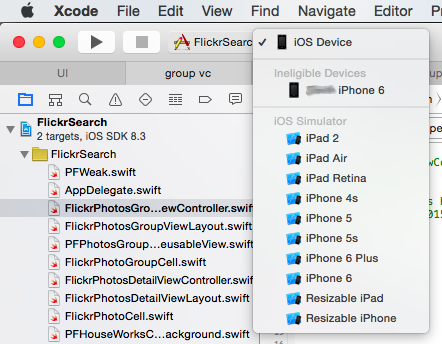
Xcode Issues: How To Work-Around An Ineligible iOS Device

There may come a day, a sad day, when you install the latest version of Xcode, plug-in you iOS device, wait for it to appear in the list of scheme supported devices, and…nothing. Then you click on the scheme pull-down menu and see the following,

Xcode Ineligible Device Post 03 15 2015 Img 1

How did your iOS device become ineligible for development? Well, I don’t know and nobody else seems to have an answer. But there is a work-around Continue reading

Learning The Swizzle & Obj-C Runtime @ Evernote

Learning The Swizzle & Obj-C Runtime @ Evernote – CocoaCoder.org (Austin, TX) – Meetup

The April 19th meeting is being hosted by Evernote. To add to the fun, some of their engineers will present on such topics as method swizzling, just to name one. If you’ve never done swizzling, it’s a big RPG, so be careful how you use it. JC will walk us through that. And more.

Evernote is the latest major iOS house to locate in Austin. So if you’ve thought of making the big jump into full-time iOS work, this might be a good chance.

Screenshots-A Legal Way To Get Screenshots

Screenshot 2011 03 25 04 23 15Note: Please remember that this post is over 5-years old, is not therefore current, so code at your own risk.

Well, Screenshots is finally done. So, what took so long since the last post about Screenshots on March 7th?

The worst thing about having perfectionist attributes is that sometimes they are detriments. Take, for example, my initial Screenshots demo app. Yes, it worked in so much as it did demonstrate that by using Apple’s Q&A 1702, 1703, 1704, and 1714 you could get they type of screen shot, or screen image, that you could by using UIGetScreenImage(). But it was…how best to put it, so ugly that not even its coder (I) could love it. So I rewrote it. All of it. And then I added features. Yeah…like I said, a detriment.

Ok…so what took so long?

Continue reading

When NSString Doesn’t Create A String With A String

If one goes to the NSString documentation, one quickly realizes that there is a very nice convenience method,

+ (id)stringWithString:(NSString *)aString

Parameters
aString

    The string from which to copy characters. This value must not be nil.

Important:
Raises an NSInvalidArgumentException if aString is nil.

Return Value
A string created by copying the characters from aString.

One would be forgiven for not noticing that little note that is supposed to catch your attention by having the title, Important. And it is important. Because, let’s say that you are trying to tell your iOS user how much an app feature upgrade cost,


NSString *titleString1 = [NSString stringWithString:@"Upgrade Flush'em for "];
NSString *titleString2 = [NSString stringWithString:[PFIAPManager sharedManager].upgradePrice];
NSString *titleString3 = [titleString1 stringByAppendingString:titleString2];
NSString *titleMessage = [titleString3 stringByAppendingString:@"?"];

Now let’s say that your intrepid customer doesn’t have a network connection. Yes, you can go through the mental exercise of asking why in the world a user would try to upgrade a mobile app without a network connection, but trust me, it will happen. And you as a responsible programmer must catch that error and handle it well for the customer. And how would you do that?


NSString *titleString2 = nil;
NSString *upgradePriceStr = [PFIAPManager sharedManager].upgradePrice;
if (upgradePriceStr)
{
titleString2 = [NSString stringWithString:upgradePriceStr];
}