ZStack Order Matters

Interesting story as I am near finishing an upcoming re-release of MissionOrion, my Orion spacecraft simulator.

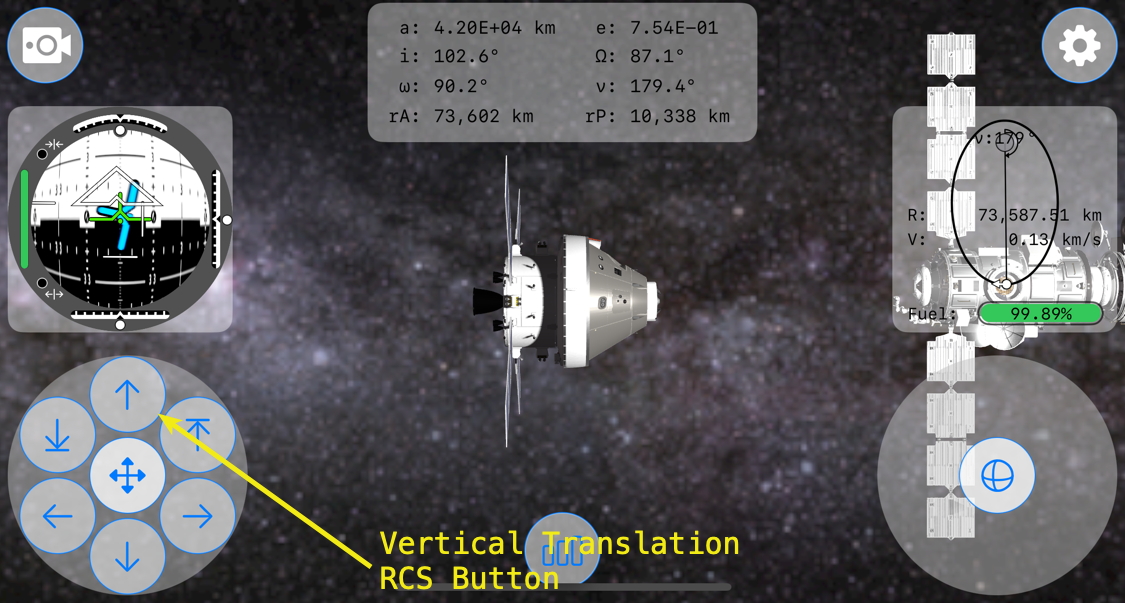
First, a little background. This is MissionOrion’s interface running on an iPhone 16 Pro.

On the lower left-hand corner is the Translation RCS control pad, which is created within SpacecraftTranslationRCSButtonsView.swift.
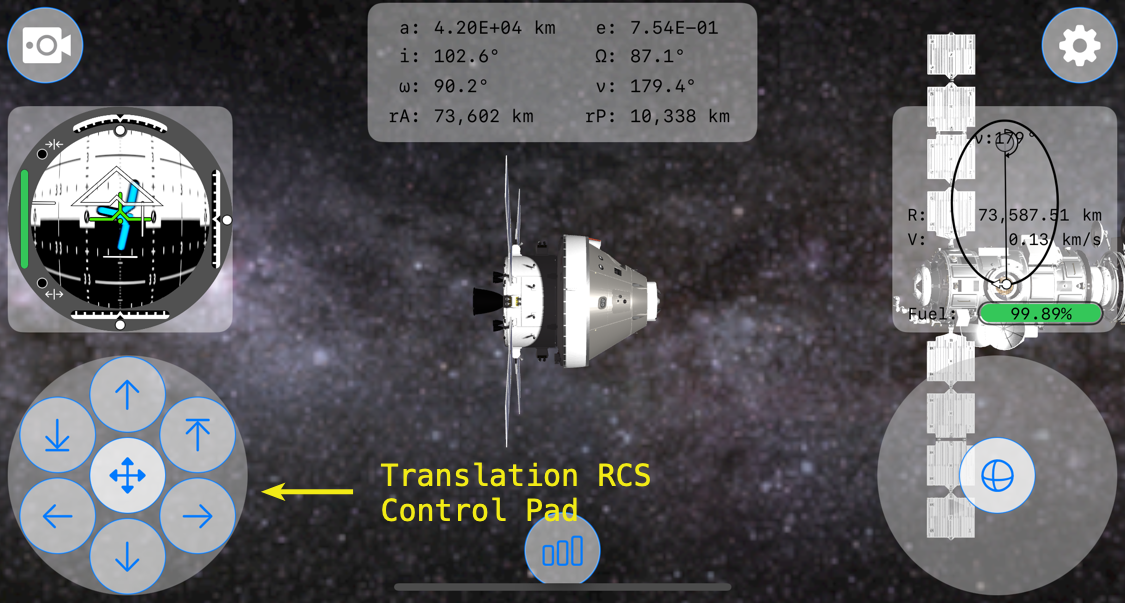
Just above it is the FDAI, or Flight Director Attitude Indicator. It is created within AttitudeView.swift.
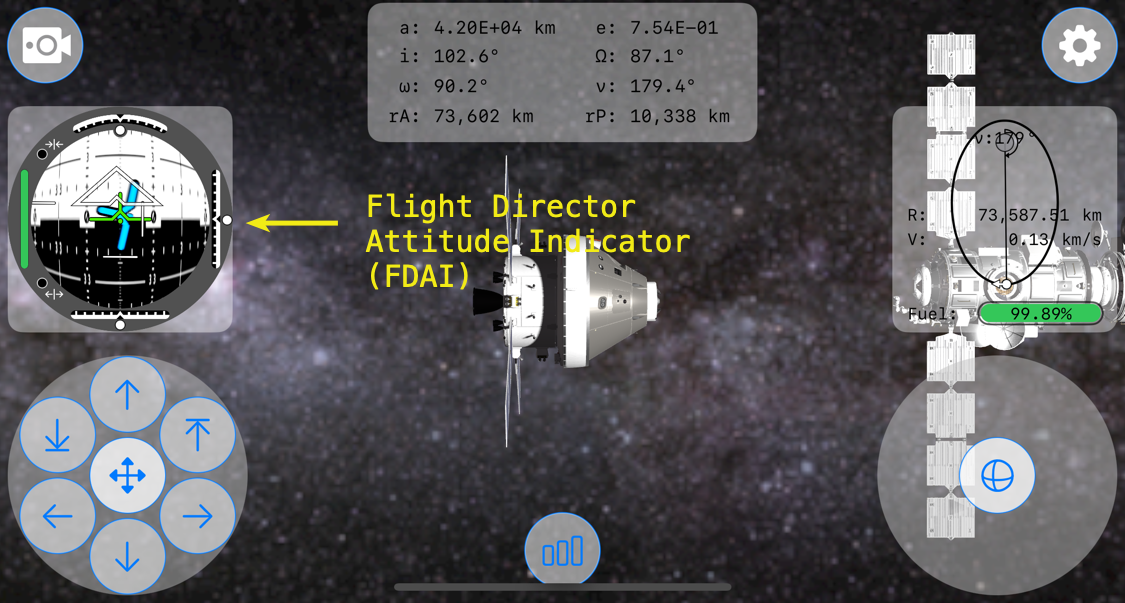
Within the FDAI are indicator views to show vertical, lateral, and longitudinal velocity of Orion relative to its target spacecraft, in this case the Gateway Lunar Space Station. These indicators are moved using .offset depending upon their individual relative velocity amounts.
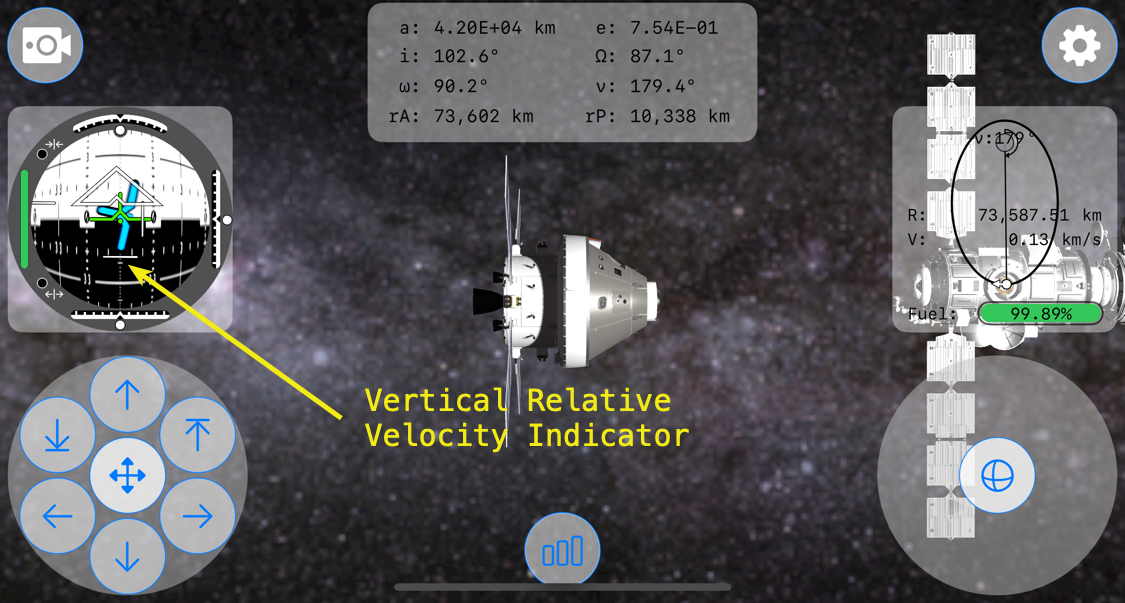
Within the Translation RCS Control Pad is a button at the top, the verticalPositiveTranslationButton, to increase the spacecraft’s positive (-y direction) vertical velocity so that the spacecraft translates, or moves, up.

The bug that I was experiencing occurred when the Vertical Relative Velocity Indicator view was at its most negative position. When translating in the negative y-direction, the relative vertical velocity indicator moves down in relation to the -y velocity. It turns-out that the image, fdaiVerticalRelativeVelocityIndicator, in Assets used for the Vertical Relative Velocity Indicator was covering the top translation RCS button, preventing inputs from it.

So, at a certain negative relative velocity, the positive vertical translation RCS button in SpacecraftTranslationRCSButtonsView.swift wouldn’t register taps. What?!?!?

To get a better idea of what was happening in the view hierarchy, here’s a screenshot of the bug. The blue field is the vertical relative velocity indicator in a full negative position.

A 45° view of the same view hierarchy.
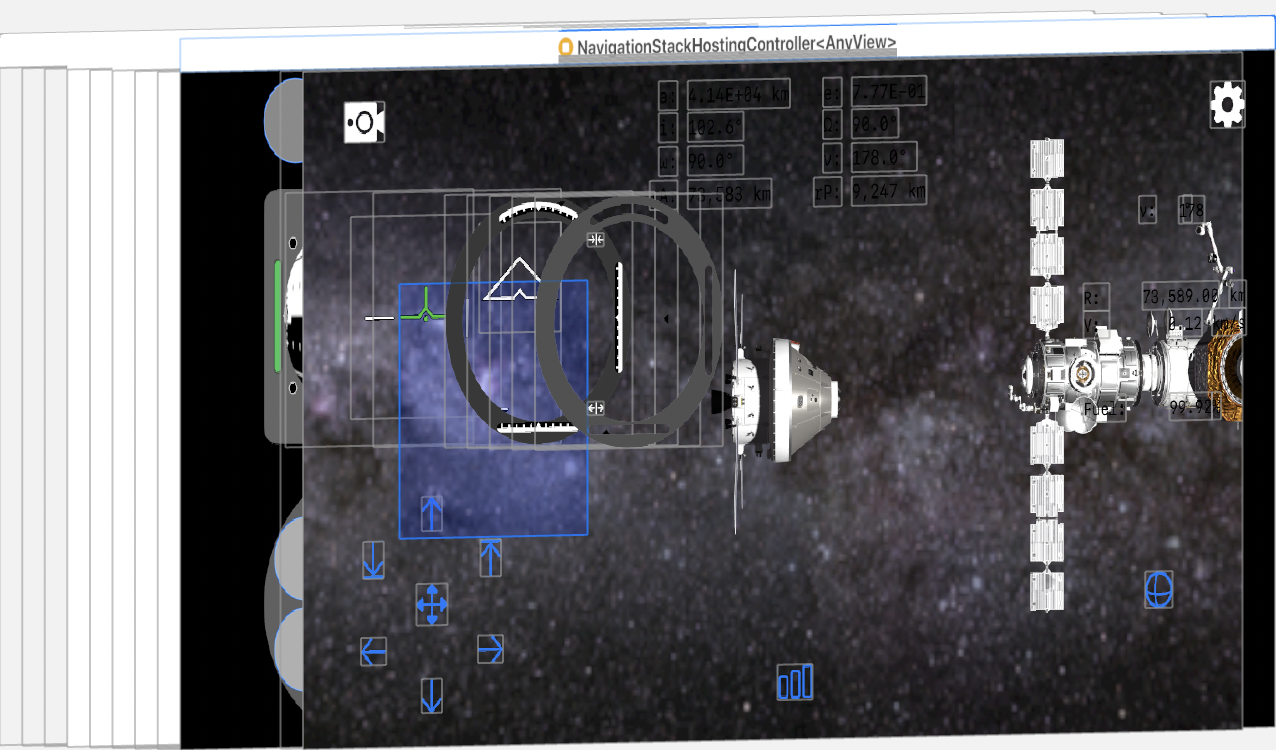
A side view of the view hierarchy.
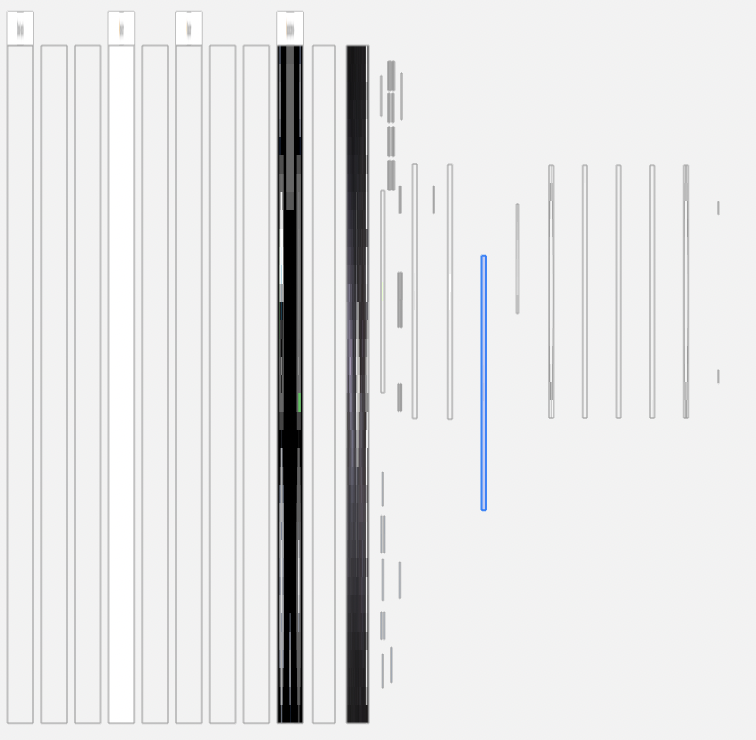
From a side view of the view hierarchy, it’s apparent that the vertical relative velocity view highlighted in blue is above the TranslationRCSButtonsView and all of its translation buttons.

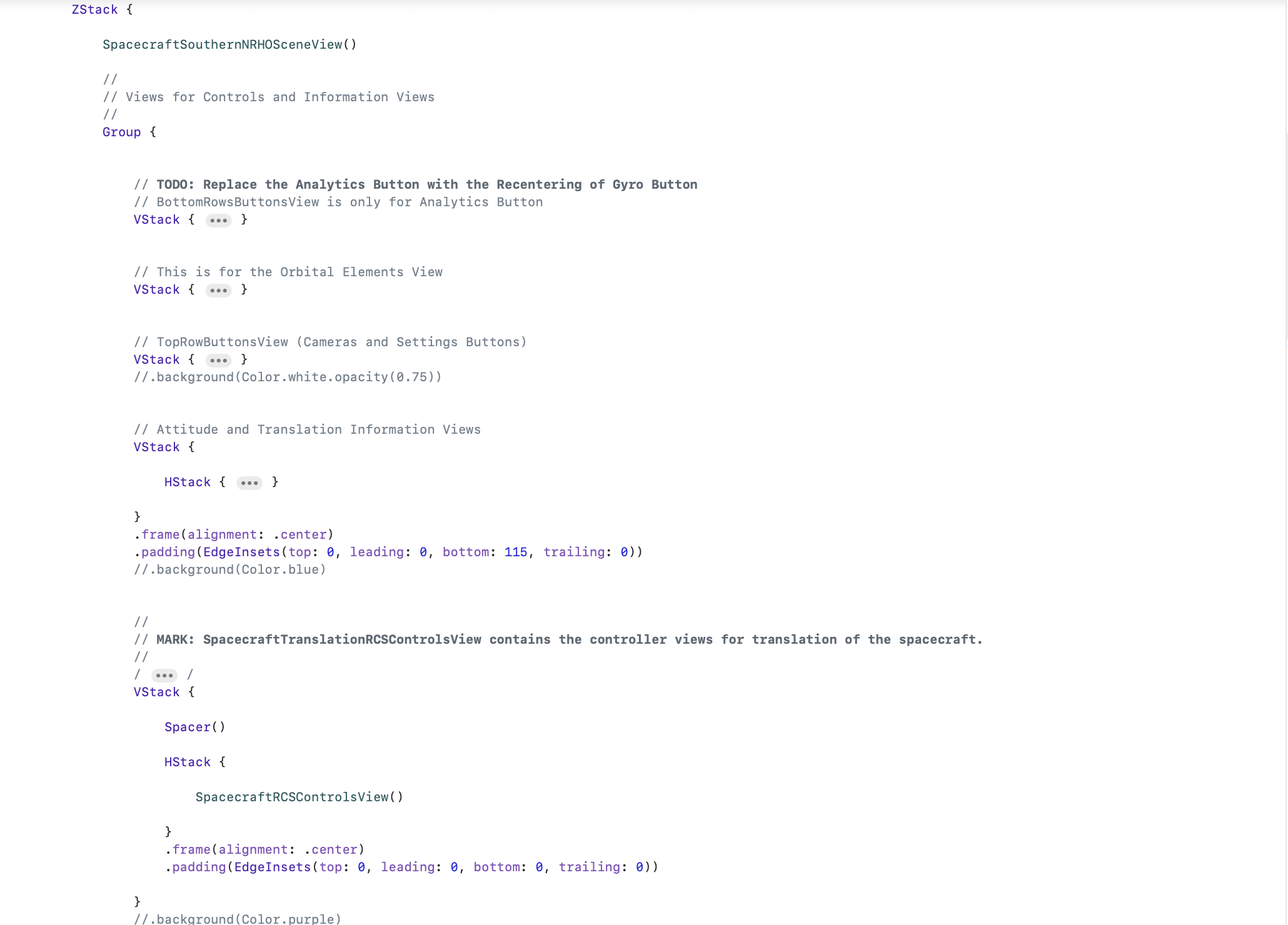
It took me about 30 minutes to figure out going on and 1 minute to fix. The fix was simple enough, just move the code within ContentView calling the TranslationRCSButtonsView and its verticalPositiveTranslationButton to the bottom of the ZStack.

Last is top in the ZStack!

Looking at the view hierarchy after the fix, it’s easy to see what this one change did to allow the verticalPositiveTranslationButton to again accept inputs.
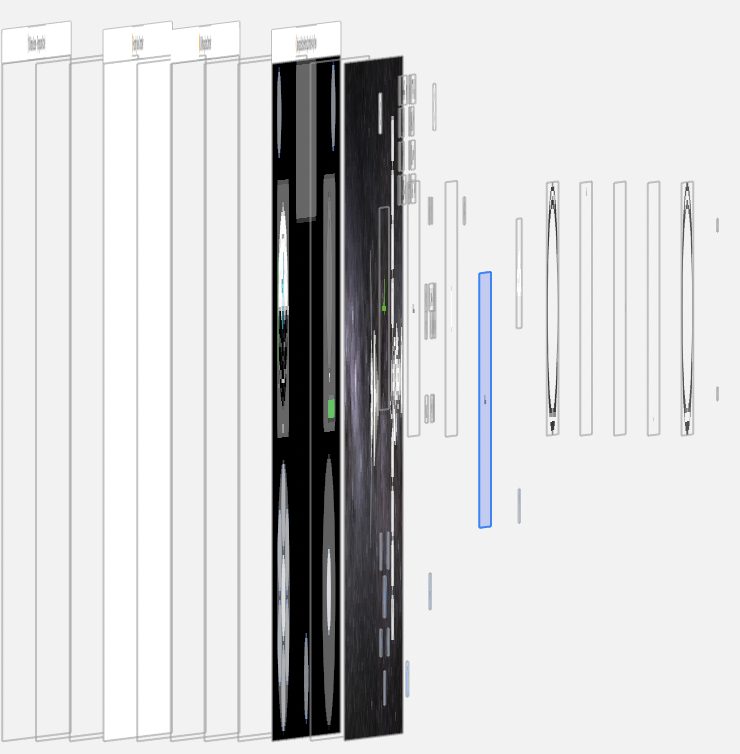
The verticalPositiveTranslationButton is now sitting above the highlighted view that is vertical relative velocity indicator view.

It’s just another reminder that in ZStack, the view order matters. One view obscuring another, even if the top view is transparent, will prevent gesture inputs. And bugs resulting from a ZStack view order mistake, such as mine, can be hard to debug.

But very fun to discover.

Why I Love Swift: Functional Programming

Apple’s Swift language, which is not even a year old, has grown on me in ways I would never have expected. Partly, that’s because it has opened my eyes to ways of programming I was unaware of.

One of the programming paradigms that Swift forced me to at least look at was functional programming. What’s functional programming? Well, here’s a post by Guanshan Liu, Functional Programming in Swift, that does a much better job than I could ever do. And there’s a great book, Functional Programming in Swift. Simply put, functional programming allows functions to be used as parameters within a function call. Is that very useful or just another egg-head, ivory-tower CompSci methodology that no app developer really needs? Hardly.

Let’s say within a HomeKit app I’m creating that I have an array of accessories (home-automation devices) and their services. Now, that and a nickel won’t get me a cup of coffee nor do much for any user of my HomeKit app. So I want to use the list of the services’ serviceType, mind you in the same order as Apple’s service types supported by HomeKit’s Accessory profile, and the devices that have those service types. Hmmm… Continue reading

HomeKit Singleton Thoughts & Code

Apple’s HomeKit API is pretty cool. For one, HomeKit comes with its own data model and store, one that likely will be shared across a person’s devices via iCloud. That’s very cool.

But if you’ve started playing with HomeKit’s HMHomeManager, you might have noticed that there are cases where a singleton containing, or of, the HMHomeManager would be a good idea. That’s because changes that might occur to the Home Manager in one part of a HomeKit app may not be reflected in another part, or on another device. Such as…”Where’s the room and 10 devices I just added to my home?!?!” Oops! Customers hate that.

So you need a singleton. The next issue is a singleton of what? One route is to create a delegate to act as a singleton. This delegate could contain an array of HMHomeManager type instances, some to serve as “scratch pads” and others as set as the Home Manager. Another route is to create an instance of HMHomeManager in the AppDelegate since (hopefully) you only have one of those running around in an app. And then there’s just creating a custom class to represent HMHomeManager. It is this last option on which this post focuses.

Apple includes a nice little HomeKit sample app, HMCatalog. One of the nice things included in that sample code is a HMHomeManager singleton. Since it’s in Obj-C, I took the liberty of writing it in Swift. Here’s the code:


let HomeStoreDidChangeSharedHomeNotification: String    = "HomeStoreDidChangeSharedHomeNotification"
let HomeStoreDidUpdateHomeNotification: String          = "HomeStoreDidUpdateHomeNotification"


class HomeStore: NSObject, HMHomeManagerDelegate
{
    static let sharedInstance = HomeStore()
    
    var homeManager: HMHomeManager
    var homeQueue: dispatch_queue_t
 
    var home: HMHome{
        get
        {
            var oldHome: HMHome     = self.home
            var newHome: HMHome?
            
            if let aHome = self.homeMatchingName(oldHome.name)
            {
                newHome     = aHome
                self.home   = newHome!
            }
            
            if (oldHome === self.home) && (newHome != nil)
            {
                self.alertForHomeDidChange()
            }
            return self.home
        }
        set(newHome)
        {
            if newHome == self.home
            {
                return
            }
            
            dispatch_async(self.homeQueue, {
                self.home   = newHome
                self.alertForHomeDidChange()
            })
        }
    }


    class func sharedStore()-> HomeStore
    {
        return sharedInstance
    }
    
    
    override init()
    {
        self.homeManager            = HMHomeManager()
        self.homeQueue              = dispatch_queue_create("com.portablefrontier.PFHouseWorks.HomeQueue", DISPATCH_QUEUE_SERIAL)
    
        super.init()
    
        self.homeManager.delegate   = self
    }
    
    
    /*
    func home() -> HMHome
    {
        var oldHome: HMHome     = self.home
        var newHome: HMHome?
        
        if let aHome = self.homeMatchingName(name: oldHome.name)
        {
            newHome     = aHome
            self.home   = newHome!
        }
        
        if (oldHome === self.home) && (newHome != nil)
        {
            self.alertForHomeDidChange()
        }
        return self.home
    }
    */
    
    
    /*
    func setHome(newHome: HMHome)
    {
        if newHome == self.home
        {
            return
        }
        
        dispatch_async(self.homeQueue, {
            self.home   = newHome
            self.alertForHomeDidChange()
        })
    }
    */


    func homeMatchingName(name: String) -> HMHome?
    {
        for aHome in homeManager.homes
        {
            if name == home.name
            {
                return home
            }
        }
        return nil
    }


    //: NotificationCenter Functions
    func alertForHomeDidChange()
    {
        dispatch_async(dispatch_get_main_queue(), {
            NSNotificationCenter.defaultCenter().postNotificationName(HomeStoreDidChangeSharedHomeNotification, object: self)
        })
    }


    func homeManagerDidUpdateHomes(manager: HMHomeManager)
    {
        NSNotificationCenter.defaultCenter().postNotificationName(HomeStoreDidUpdateHomeNotification, object: self)
        
        if let aHome = self.homeMatchingName(home.name)
        {
            self.home    = aHome
        }
    }
}