
ZStack Order Matters

Interesting story as I am near finishing an upcoming re-release of MissionOrion, my Orion spacecraft simulator.

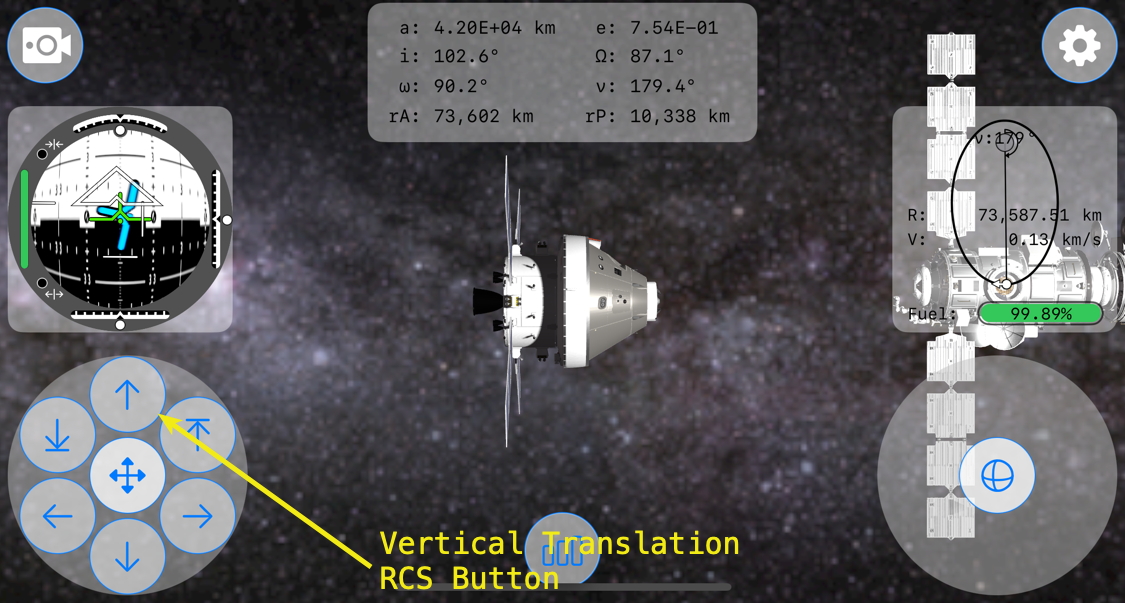
First, a little background. This is MissionOrion’s interface running on an iPhone 16 Pro.

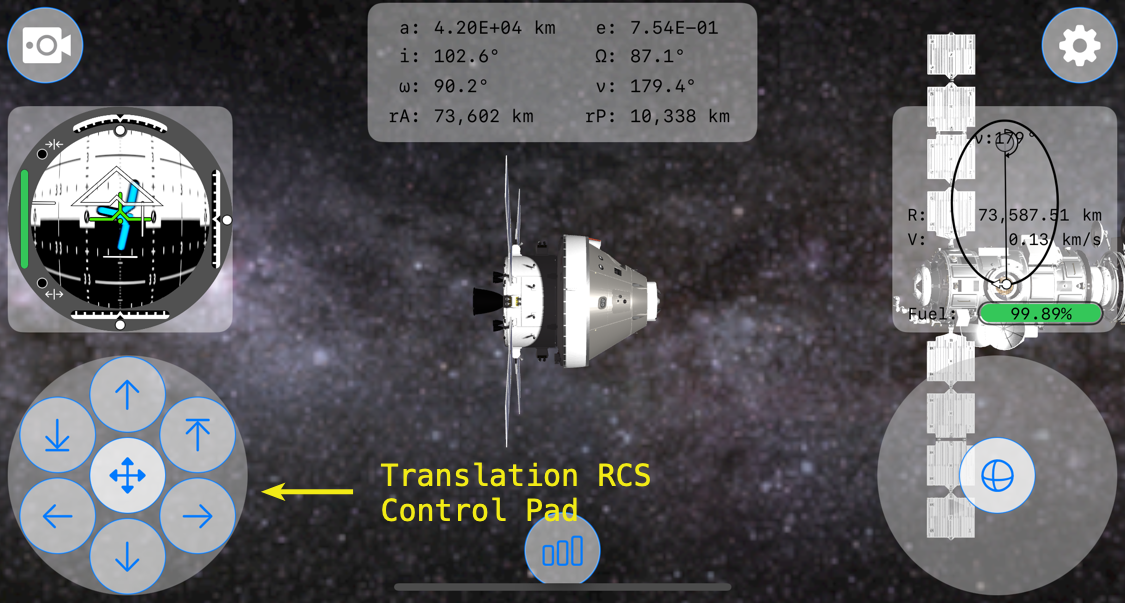
On the lower left-hand corner is the Translation RCS control pad, which is created within SpacecraftTranslationRCSButtonsView.swift.
Just above it is the FDAI, or Flight Director Attitude Indicator. It is created within AttitudeView.swift.
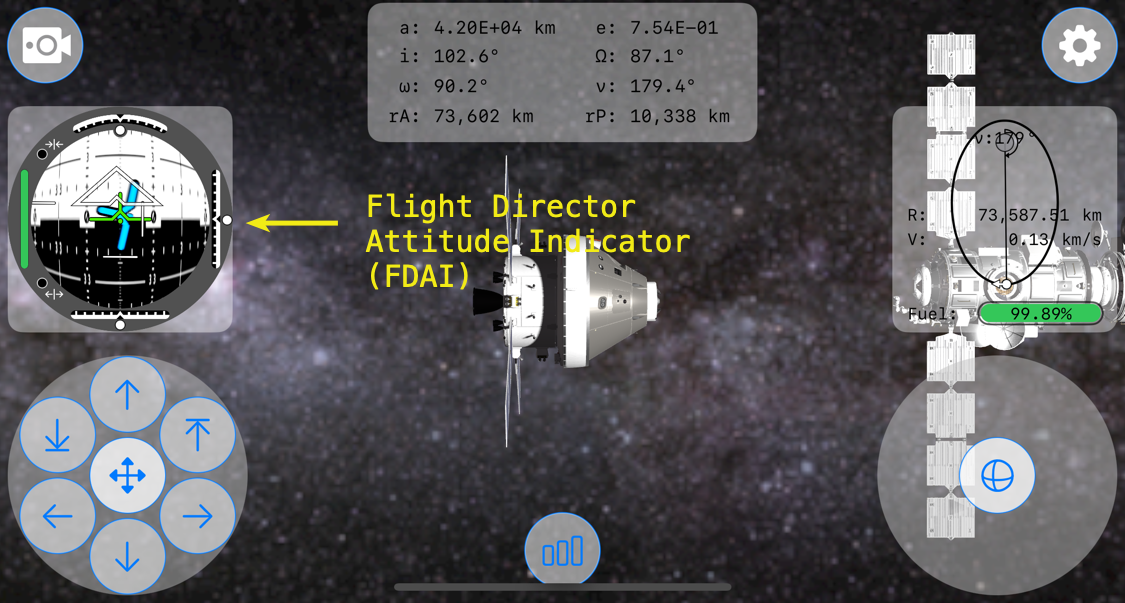
Within the FDAI are indicator views to show vertical, lateral, and longitudinal velocity of Orion relative to its target spacecraft, in this case the Gateway Lunar Space Station. These indicators are moved using .offset depending upon their individual relative velocity amounts.
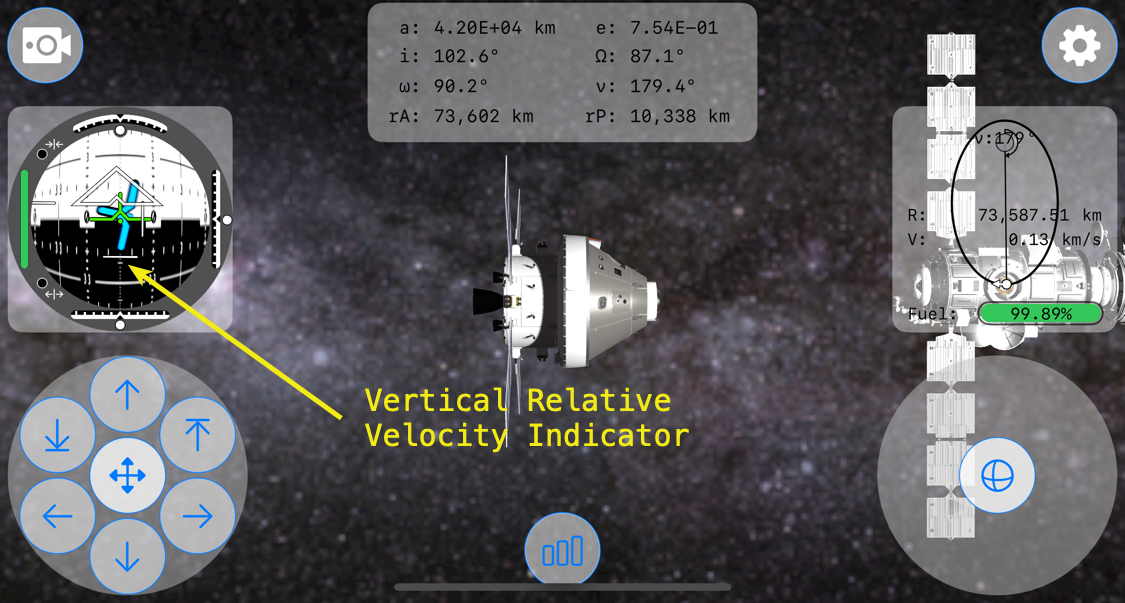
Within the Translation RCS Control Pad is a button at the top, the verticalPositiveTranslationButton, to increase the spacecraft’s positive (-y direction) vertical velocity so that the spacecraft translates, or moves, up.

The bug that I was experiencing occurred when the Vertical Relative Velocity Indicator view was at its most negative position. When translating in the negative y-direction, the relative vertical velocity indicator moves down in relation to the -y velocity. It turns-out that the image, fdaiVerticalRelativeVelocityIndicator, in Assets used for the Vertical Relative Velocity Indicator was covering the top translation RCS button, preventing inputs from it.

So, at a certain negative relative velocity, the positive vertical translation RCS button in SpacecraftTranslationRCSButtonsView.swift wouldn’t register taps. What?!?!?

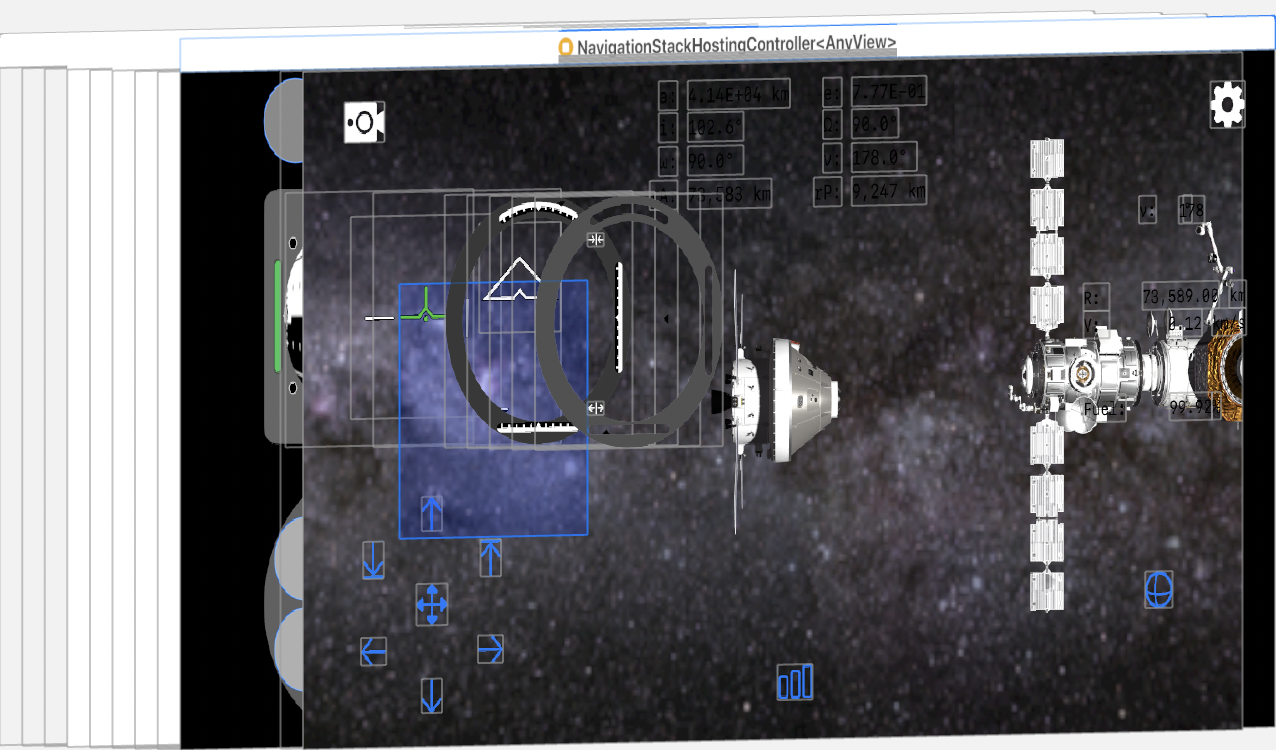
To get a better idea of what was happening in the view hierarchy, here’s a screenshot of the bug. The blue field is the vertical relative velocity indicator in a full negative position.

A 45° view of the same view hierarchy.
A side view of the view hierarchy.
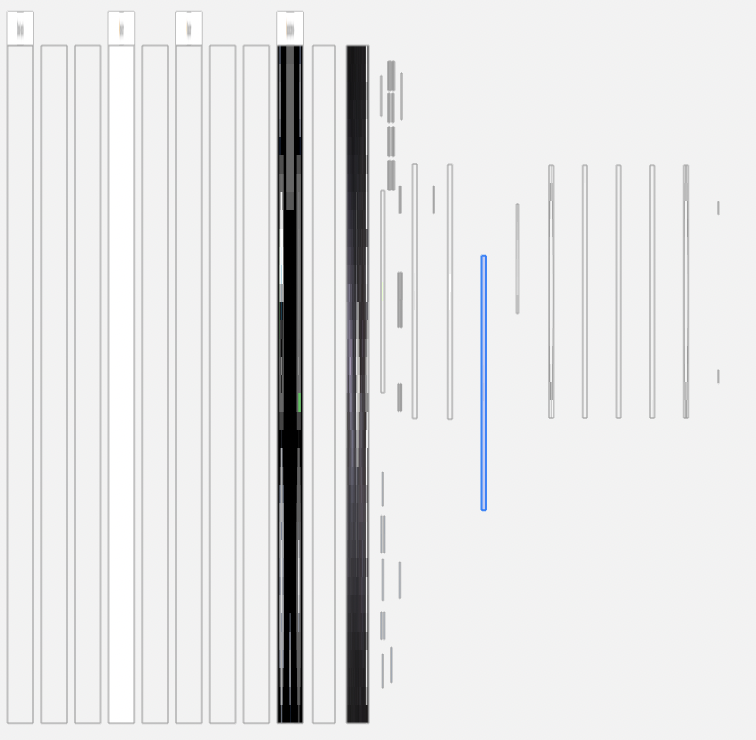
From a side view of the view hierarchy, it’s apparent that the vertical relative velocity view highlighted in blue is above the TranslationRCSButtonsView and all of its translation buttons.

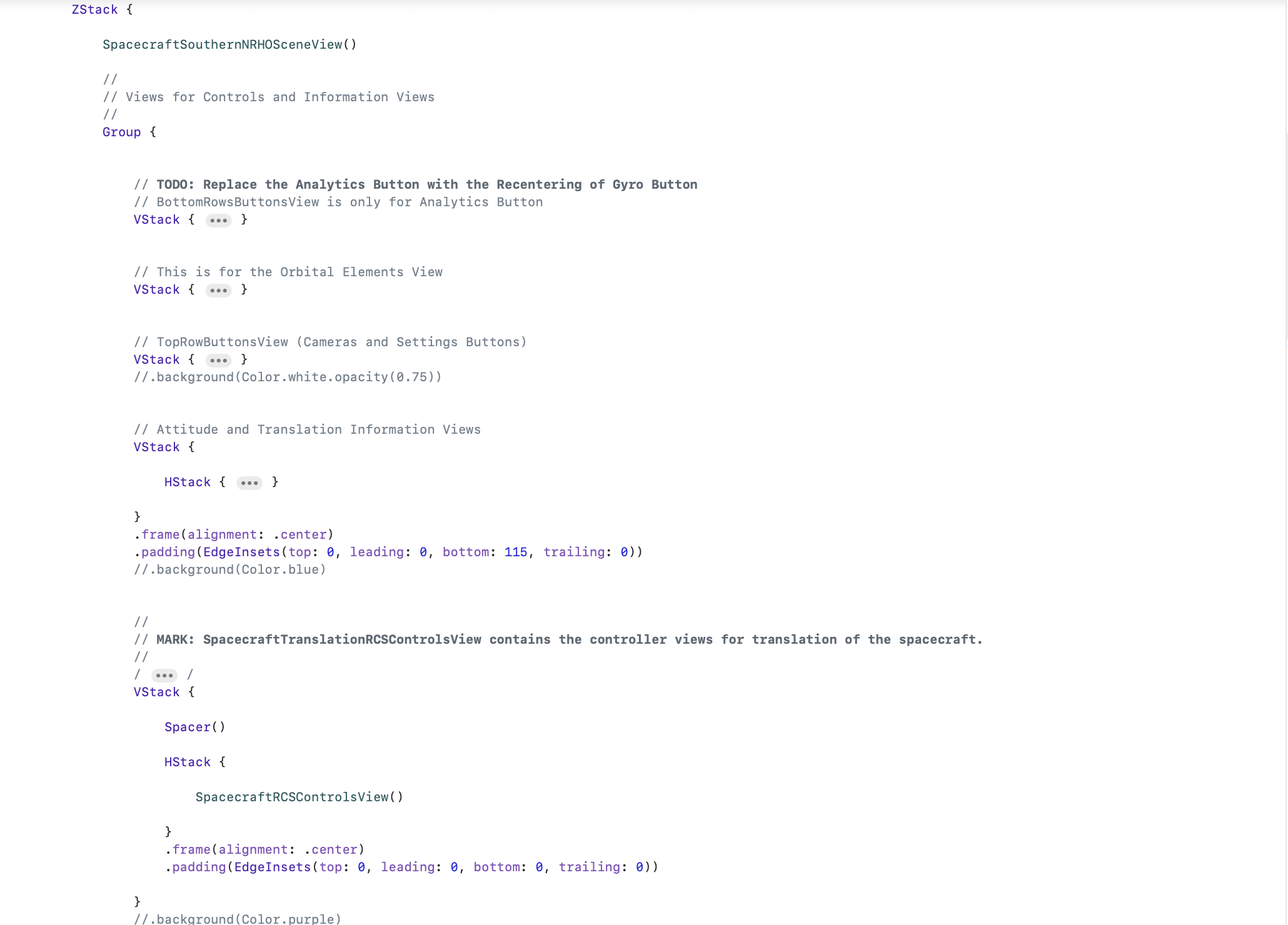
It took me about 30 minutes to figure out going on and 1 minute to fix. The fix was simple enough, just move the code within ContentView calling the TranslationRCSButtonsView and its verticalPositiveTranslationButton to the bottom of the ZStack.

Last is top in the ZStack!

Looking at the view hierarchy after the fix, it’s easy to see what this one change did to allow the verticalPositiveTranslationButton to again accept inputs.
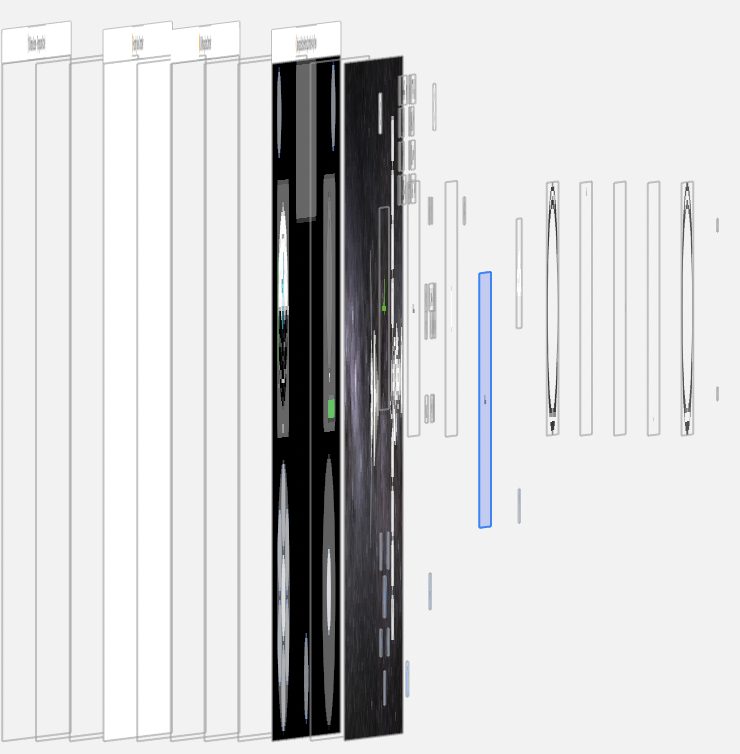
The verticalPositiveTranslationButton is now sitting above the highlighted view that is vertical relative velocity indicator view.

It’s just another reminder that in ZStack, the view order matters. One view obscuring another, even if the top view is transparent, will prevent gesture inputs. And bugs resulting from a ZStack view order mistake, such as mine, can be hard to debug.

But very fun to discover.

Don’t Use Actors For State Data

I wish I had read Paul Hudson’s post, “Important: Do not use an actor for your SwiftUI data models” from last November. It would have saved me hurt from a day wasted trying to get a small data model conforming to @GlobalActor to work with a SwiftUI view.

So, the key point is, do not use an actor for your SwiftUI data models. At least as of now, March 29, 2025. This applies to reading @Published properties of reference types conforming to Observable(Object).

Why? Any code like AstrodynamicState that conforms to Observable(Object) must be @MainActor. Modifying any of AstrodynamicState’s @Published properties must be on the main thread. I am going to assume that reading AstrodynamicState’s published properties will also cause problems. For example,

@globalActor

actor AstrodynamicStateActor: ObservableObject {

    static var shared = AstrodynamicStateActor()

}

@AstrodynamicStateActor
class AstrodynamicState: ObservableObject {

    static let shared = AstrodynamicState()

    @Published var semiMajorAxis: Double = 0.0

    ...

    // Calculate semiMajorAxist in an asyn function...

    ...

}

Then reading this in a SwiftUI View as say, a Text,

struct COEView: View { 

    var body: some View {

       Text(“\(Task { await AstrodynamicState.shaed.semiMajorAxis } as? Double ?? 0.0, specifier: "%.2E") km”)

    }

}

Will not result in the value of AstrodynamicState’s published property semiMajorAxis being displayed, but will instead see “0.00” displayed. Nothing like orbiting the core of the central body.

So, actors are a really bad choice for any data models used with SwiftUI.

Learning The Swizzle & Obj-C Runtime @ Evernote

Learning The Swizzle & Obj-C Runtime @ Evernote – CocoaCoder.org (Austin, TX) – Meetup

The April 19th meeting is being hosted by Evernote. To add to the fun, some of their engineers will present on such topics as method swizzling, just to name one. If you’ve never done swizzling, it’s a big RPG, so be careful how you use it. JC will walk us through that. And more.

Evernote is the latest major iOS house to locate in Austin. So if you’ve thought of making the big jump into full-time iOS work, this might be a good chance.

Screenshots-A Legal Way To Get Screenshots

Screenshot 2011 03 25 04 23 15Note: Please remember that this post is over 5-years old, is not therefore current, so code at your own risk.

Well, Screenshots is finally done. So, what took so long since the last post about Screenshots on March 7th?

The worst thing about having perfectionist attributes is that sometimes they are detriments. Take, for example, my initial Screenshots demo app. Yes, it worked in so much as it did demonstrate that by using Apple’s Q&A 1702, 1703, 1704, and 1714 you could get they type of screen shot, or screen image, that you could by using UIGetScreenImage(). But it was…how best to put it, so ugly that not even its coder (I) could love it. So I rewrote it. All of it. And then I added features. Yeah…like I said, a detriment.

Ok…so what took so long?

Continue reading

How To Legally Replace UIGetScreenImage()

Note: Please remember that this post is over 5-years old, is not therefore current, so code at your own risk.

In the summer of 2010, Apple opened up UIGetScreenImage() as a way of taking screenshots in iOS apps. There was great joy in the land.

Then the following September, Apple decided that it was better for app developers to use either UIImagePickerController or methods from AVFoundation to capture images and present a camera view. Happiness was replaced with great sadness in the land.

To help developers, Apple’s iOS Team came out with 4 Technical Q&A’s that tried to show developers how to get around the prohibition on UIGetScreenImage() while still accomplishing the same thing. To put it simply, what had been a one-line job became a many line task.

Worse, in none of the Apple supplied Technical Q&A’s was there an elegant solution for those interested in augmented reality applications…such as I, to take a screen shot. So, in plain English, if you wanted a screenshot of your augmented reality app including its UIKit layer content, sort of like…well, a gun camera, you were out of luck. This bothered me greatly.

Continue reading

When NSString Doesn’t Create A String With A String

If one goes to the NSString documentation, one quickly realizes that there is a very nice convenience method,

+ (id)stringWithString:(NSString *)aString

Parameters
aString

    The string from which to copy characters. This value must not be nil.

Important:
Raises an NSInvalidArgumentException if aString is nil.

Return Value
A string created by copying the characters from aString.

One would be forgiven for not noticing that little note that is supposed to catch your attention by having the title, Important. And it is important. Because, let’s say that you are trying to tell your iOS user how much an app feature upgrade cost,


NSString *titleString1 = [NSString stringWithString:@"Upgrade Flush'em for "];
NSString *titleString2 = [NSString stringWithString:[PFIAPManager sharedManager].upgradePrice];
NSString *titleString3 = [titleString1 stringByAppendingString:titleString2];
NSString *titleMessage = [titleString3 stringByAppendingString:@"?"];

Now let’s say that your intrepid customer doesn’t have a network connection. Yes, you can go through the mental exercise of asking why in the world a user would try to upgrade a mobile app without a network connection, but trust me, it will happen. And you as a responsible programmer must catch that error and handle it well for the customer. And how would you do that?


NSString *titleString2 = nil;
NSString *upgradePriceStr = [PFIAPManager sharedManager].upgradePrice;
if (upgradePriceStr)
{
titleString2 = [NSString stringWithString:upgradePriceStr];
}

Hello out there!

Welcome to BrokenFang.com, a site that reflects my bipolar, multiple personality of code, space, and Labrador retrievers. I also will throw in some fiction I’m working on, which I want, really want, your feedback on. There will be occasional code also kicked in as well.

Why BrokenFang? Well, the name is nothing profound, not certainly anything like what someone once asked, “Is Broken Fang some ancient native American name”? Nope. In fact, the name Broken Fang comes from a nickname I gave to my yellow Lab, Elizabeth, who chipped off half of one of her canines while playing with her favorite toy…that being a 15 lbs. mesquite log she pulled out of the woodpile. So there you have it, the story behind BrokenFang.